# Problem: Gray background color on articles

Follow the steps below on how to change the color of your article's background.

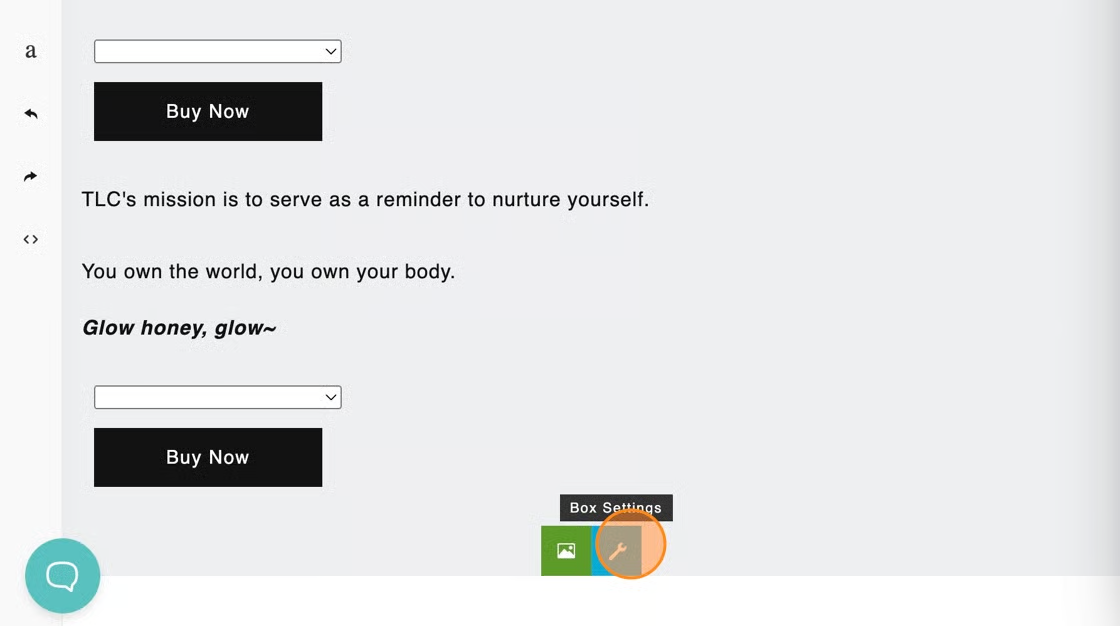
1\. Starting from the Blog Studio editor, scroll down to the bottom of the box that displays a gray background.

2. Click on the **Blue Wrench icon** to adjust the box settings.

<figure><img src="https://1857315123-files.gitbook.io/~/files/v0/b/gitbook-x-prod.appspot.com/o/spaces%2FsA16nlP6q2CISJmAAc1i%2Fuploads%2FPRGnsbntn8EMBRz5btK2%2Fimage.png?alt=media&#x26;token=c76b4010-2525-49f5-a2c3-351046a991e8" alt=""><figcaption></figcaption></figure>

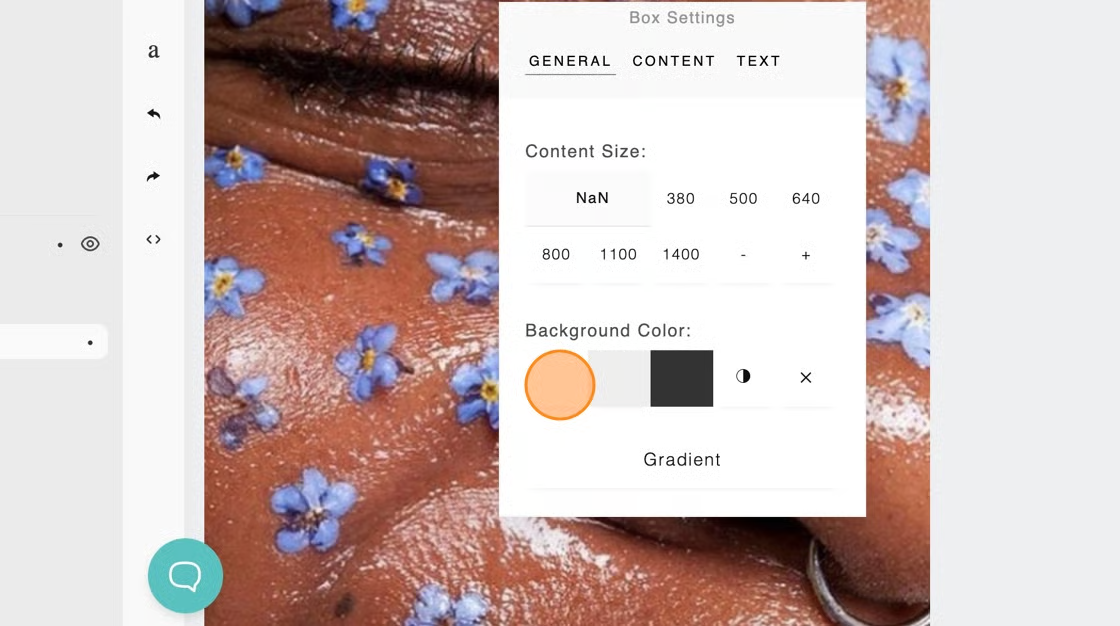
3\. Then, change the **Background Color** to your preferred color

<figure><img src="https://1857315123-files.gitbook.io/~/files/v0/b/gitbook-x-prod.appspot.com/o/spaces%2FsA16nlP6q2CISJmAAc1i%2Fuploads%2FZmT84HKUAkLUEF4Z7kxR%2Fimage.png?alt=media&#x26;token=43c1dc58-56d6-4c2d-beb5-a6050ef3b7e3" alt=""><figcaption></figcaption></figure>

Now, you are all set! 💪  Make sure to save your changes.&#x20;