> For the complete documentation index, see [llms.txt](https://shoppad.gitbook.io/bouncer/llms.txt). Markdown versions of documentation pages are available by appending `.md` to page URLs; this page is available as [Markdown](https://shoppad.gitbook.io/bouncer/customize-bouncer/edit-bouncers-text.md).
# Edit Bouncer's text
By default, the Bouncer age verification pop-up displays with two buttons (one that says **Enter**, and the another that says **Exit**), and a month, day, and year drop down menus. If you have selected to verify with Facebook, it will also display a Facebook verification button.
Follow the steps below to change the text of the buttons and month names.
### Edit your store's code
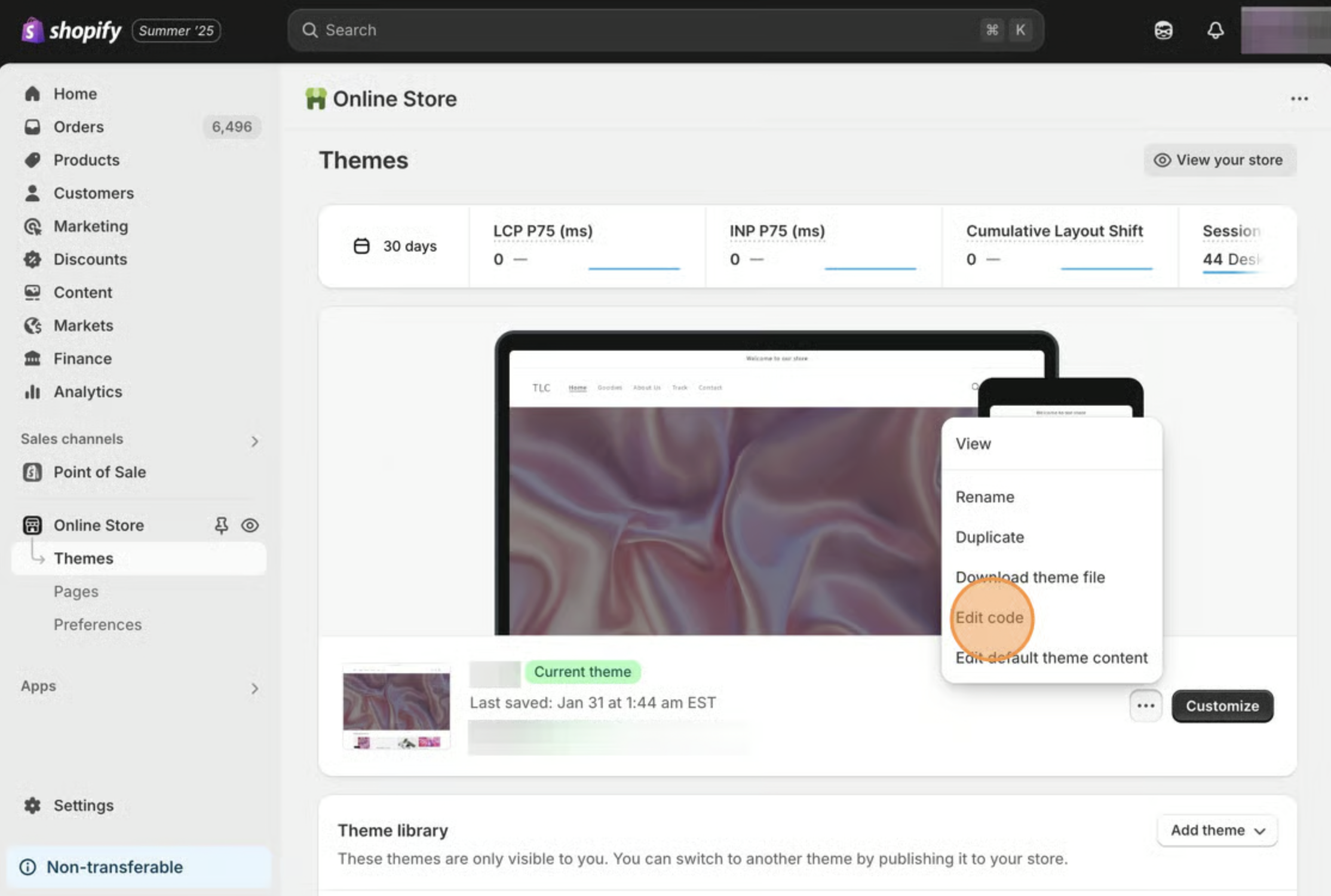
1. Starting from your Shopify admin dashboard, click on **Online Store**, then click on **Themes.**
2. Find the theme you want to edit, click the **Actions** button, then click **Edit code.**
### Add the snippet to your theme
1. On the left side, under the **Layout** heading, click on the *theme.liquid* file.
2. Copy the following code snippet.
```
```
3. Paste it directly after the **\** tag.
4\. Replace the text within the quotes (XXXXX) with your desired messaging (don't remove the quotes!).
5\. Translate the months to your desired language.
6\. **Save** your changes.