> For the complete documentation index, see [llms.txt](https://shoppad.gitbook.io/coin/llms.txt). Markdown versions of documentation pages are available by appending `.md` to page URLs; this page is available as [Markdown](https://shoppad.gitbook.io/coin/integrations/searchanise-search-and-discovery.md).
# Searchanise Search & Discovery
Follow the steps below to convert the prices that display in the Searchanise Search and Discovery full-text search widget.
#### Important Info
* Before integrating the *Coin* app with the Searchanise Search & Discovery app, ensure both apps are installed in your store.
* The integration with *Coin* won’t work if Shopify multicurrency support is enabled in the app (the *Smart Search & Filter* control panel > *Preferences* section > *Products* tab > *Enable Shopify multicurrency support* option).
To integrate the Searchanise Search and discovery app with the *Coin* app, follow these steps:
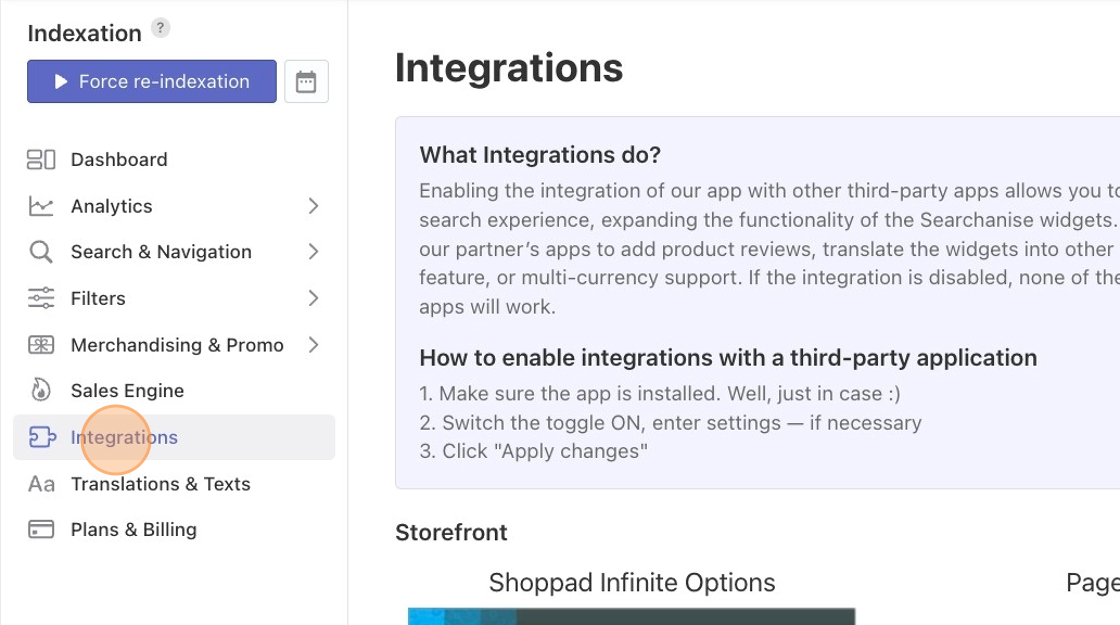
1. Go to the *Smart Search & Filter* control panel > *Integrations* section > *Multicurrency* part.
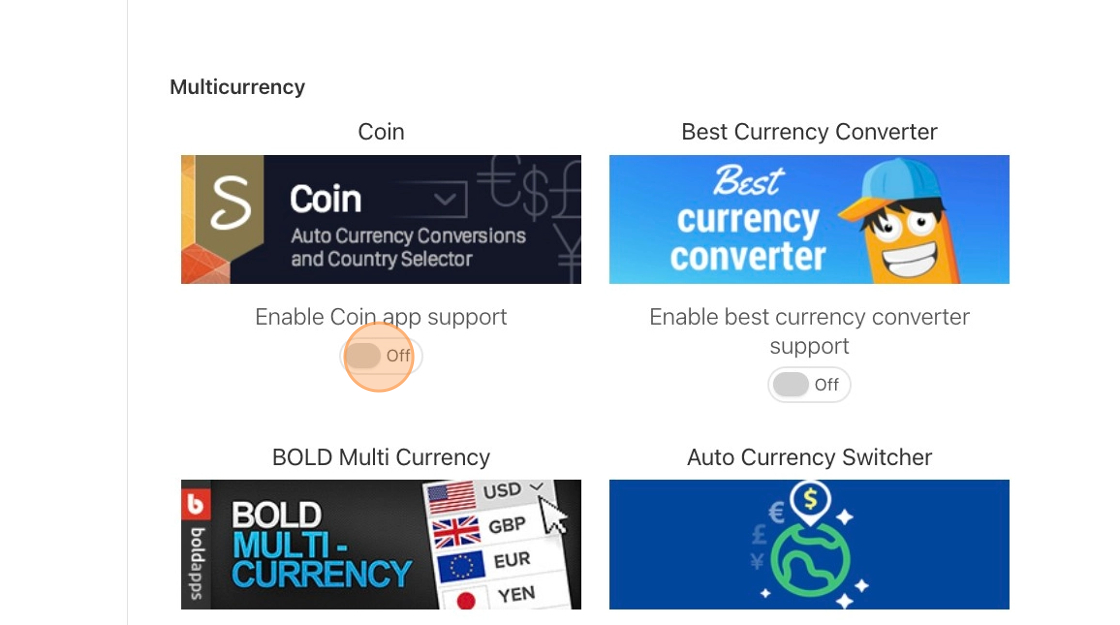
2. Set the toggle for *Coin* to *On*.
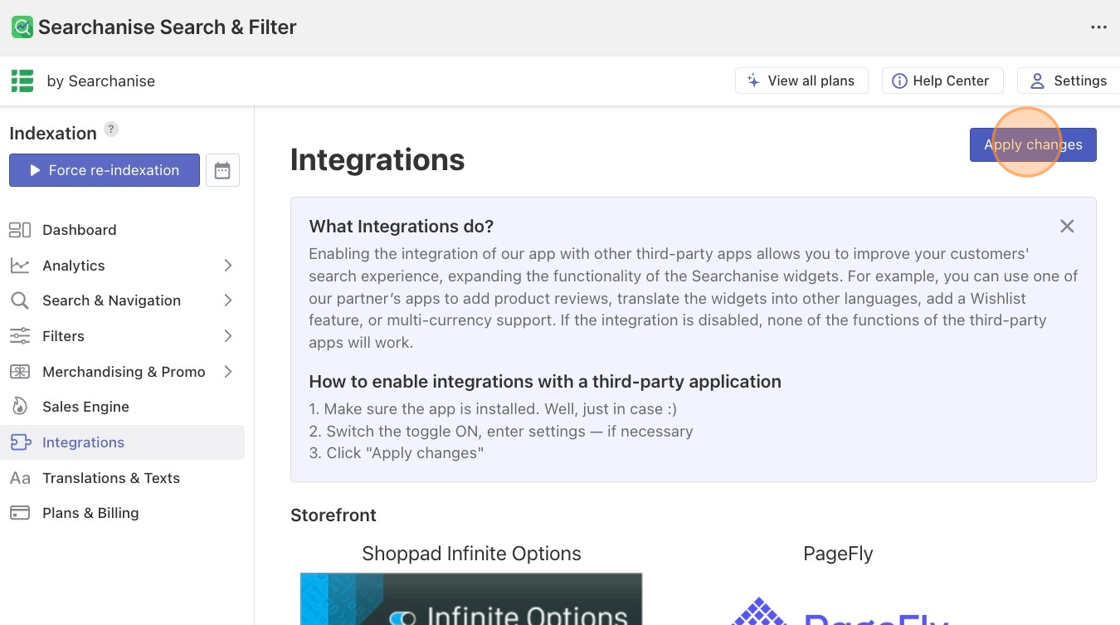
3. Select **Apply changes**.
After these steps have been completed, the prices in Searchanise's full-text search widget will be converted to the currency set in Coin. If the prices aren’t converting, try clearing your browser's cache and reloading the page.