# Abandoned Checkout

Follow the steps below to display option selections in the abandoned checkout emails.

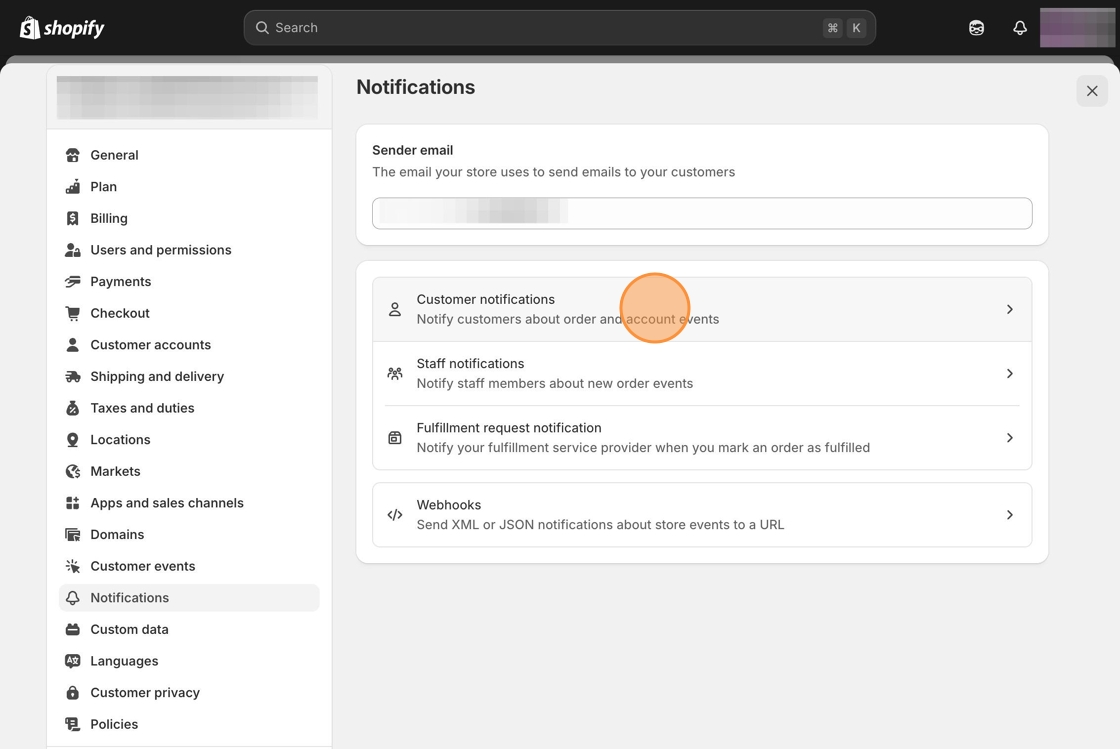
1\. Starting from your Shopify admin dashboard, navigate to the  **Settings** tab, click on **Notifications**, then **Customer notifications.**   &#x20;

<figure><img src="https://24152052-files.gitbook.io/~/files/v0/b/gitbook-x-prod.appspot.com/o/spaces%2FglwgaFVh2VmGBjtIbnDb%2Fuploads%2FvzyXNtlhkFRbHpNcOWfe%2Fimage.png?alt=media&#x26;token=138c6b77-064d-4b99-8ee9-75a7ac0f49a6" alt=""><figcaption></figcaption></figure>

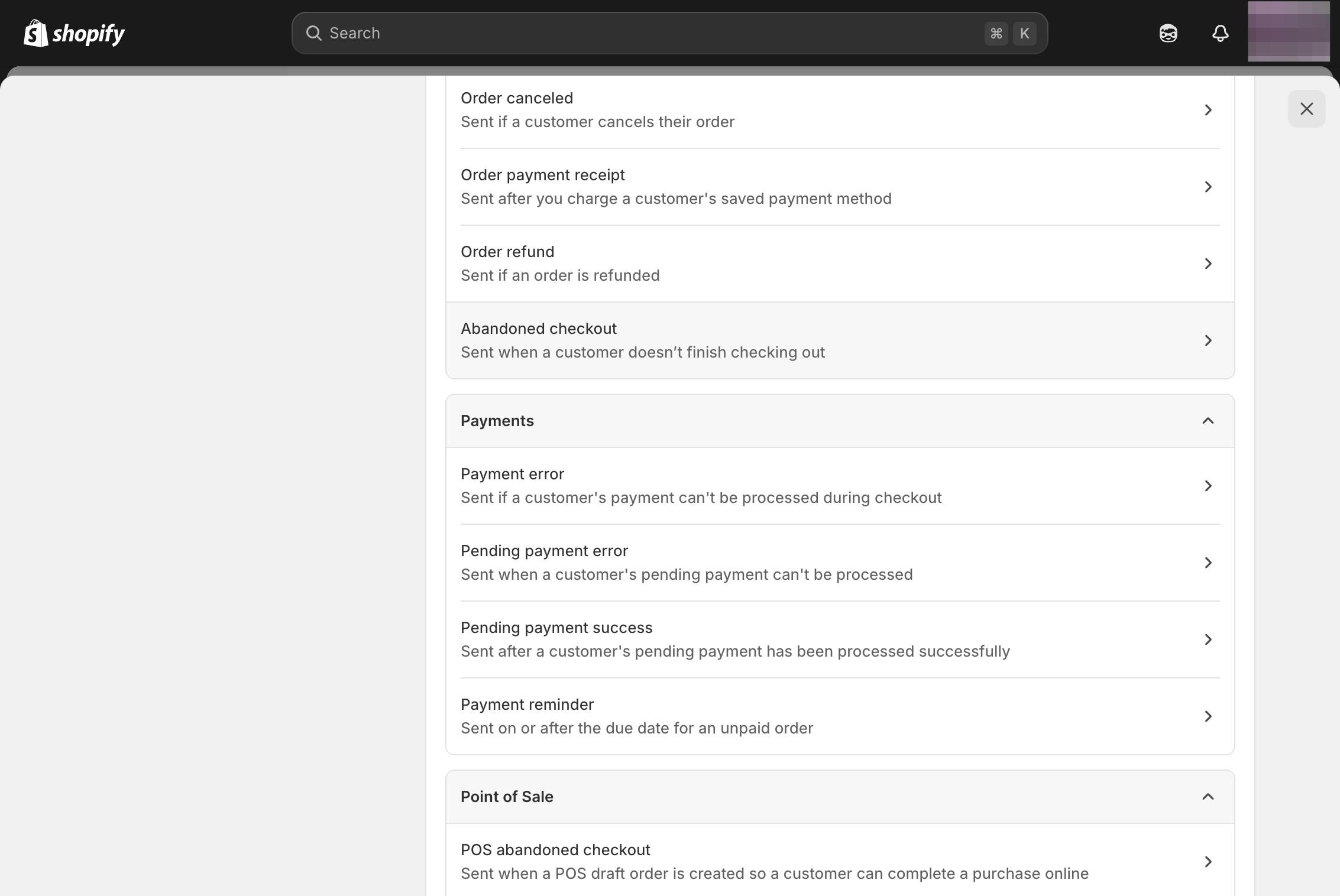
2\. Search for the Order exceptions section and select the Abandoned checkout template.

<figure><img src="https://24152052-files.gitbook.io/~/files/v0/b/gitbook-x-prod.appspot.com/o/spaces%2FglwgaFVh2VmGBjtIbnDb%2Fuploads%2FpV3k5DrlzJmP37ggKc8A%2Fimage.png?alt=media&#x26;token=b0aab088-43c3-4d01-9052-c4196dddf088" alt=""><figcaption></figcaption></figure>

3\. Select the **Edit code** button at the top right.

\
4\. Locate the following line of code.

```html
{% if line.variant.title != 'Default Title' %}<br>
```

<figure><img src="https://24152052-files.gitbook.io/~/files/v0/b/gitbook-x-prod.appspot.com/o/spaces%2FglwgaFVh2VmGBjtIbnDb%2Fuploads%2FzWj47tLJkLTPTCC8XSnN%2Fimage.png?alt=media&#x26;token=9c88711a-7fff-4b83-9616-b6f97d35d8d2" alt=""><figcaption></figcaption></figure>

5\. Copy and paste the following snippet after the section of code.

```html
{% for p in line.properties %}
  {% if p.first contains '_io_' %}
    {% continue %}
  {% endif %}
  {% if p.last %}
    {% assign name = p.first %}
    {% assign value = p.last %}
  {% else %}
    {% assign name = p.name %}
    {% assign value = p.value %}
  {% endif %}
  {% unless value == blank %}
    <p style='margin-top: 0px; margin-bottom: 0px; font-size: 14px; color: #999;'>
      {{ name }}:
    {% if p.last contains '//uploadery.s3' %}
      <a style='font-size: 14px;' href="{{ value }}">Link to your file</a>
    {% else %}
      {{ value }}
    {% endif %}
    </p>
  {% endunless %}
{% endfor %}<br>
		

```

<figure><img src="https://24152052-files.gitbook.io/~/files/v0/b/gitbook-x-prod.appspot.com/o/spaces%2FglwgaFVh2VmGBjtIbnDb%2Fuploads%2FKOJk6dD4zdZTHLHHwnTg%2Fimage.png?alt=media&#x26;token=597ac09b-9bc3-4aa8-8f95-19b8d79ca43b" alt=""><figcaption></figcaption></figure>

6\. Click the **Save** button at the top of the page.