# Bulk Add Values

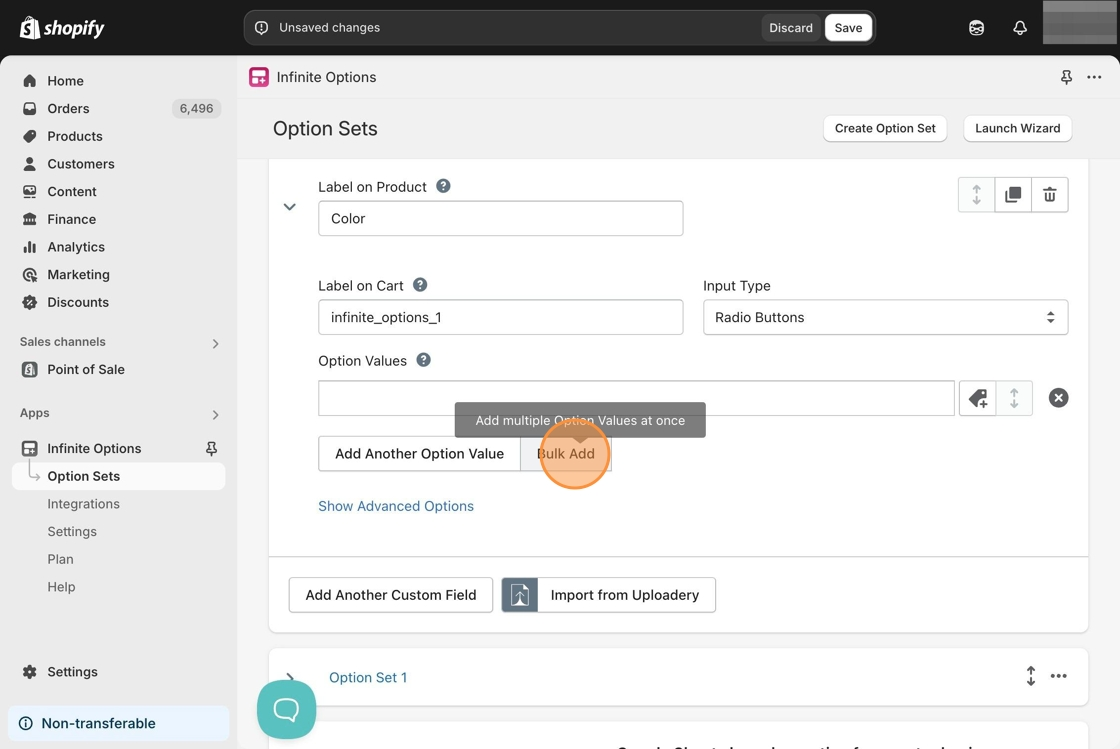
Infinite Options supports adding more than one value to an existing option set. To do so, click on **Bulk Add** under your existing option.&#x20;

<figure><img src="https://24152052-files.gitbook.io/~/files/v0/b/gitbook-x-prod.appspot.com/o/spaces%2FglwgaFVh2VmGBjtIbnDb%2Fuploads%2FHqpoHzkOydjqEvaFOXGJ%2Fimage.png?alt=media&#x26;token=014a9ac7-8a3b-40b2-86ac-df65d374a738" alt=""><figcaption></figcaption></figure>

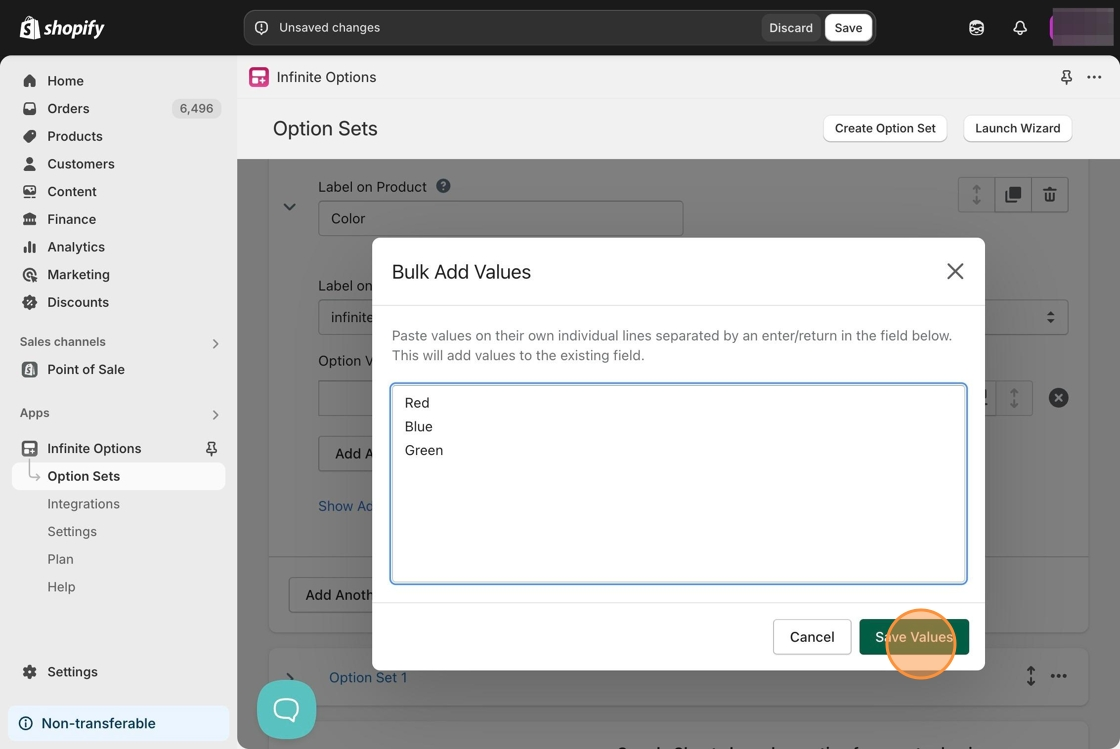
Then, paste or type in the values as separate lines. Here is an example:&#x20;

<figure><img src="https://24152052-files.gitbook.io/~/files/v0/b/gitbook-x-prod.appspot.com/o/spaces%2FglwgaFVh2VmGBjtIbnDb%2Fuploads%2FtqrOkXRxmZQNghY4LXOb%2Fimage.png?alt=media&#x26;token=cd45a3e4-4937-406f-9211-17a4a8a6342a" alt=""><figcaption></figcaption></figure>

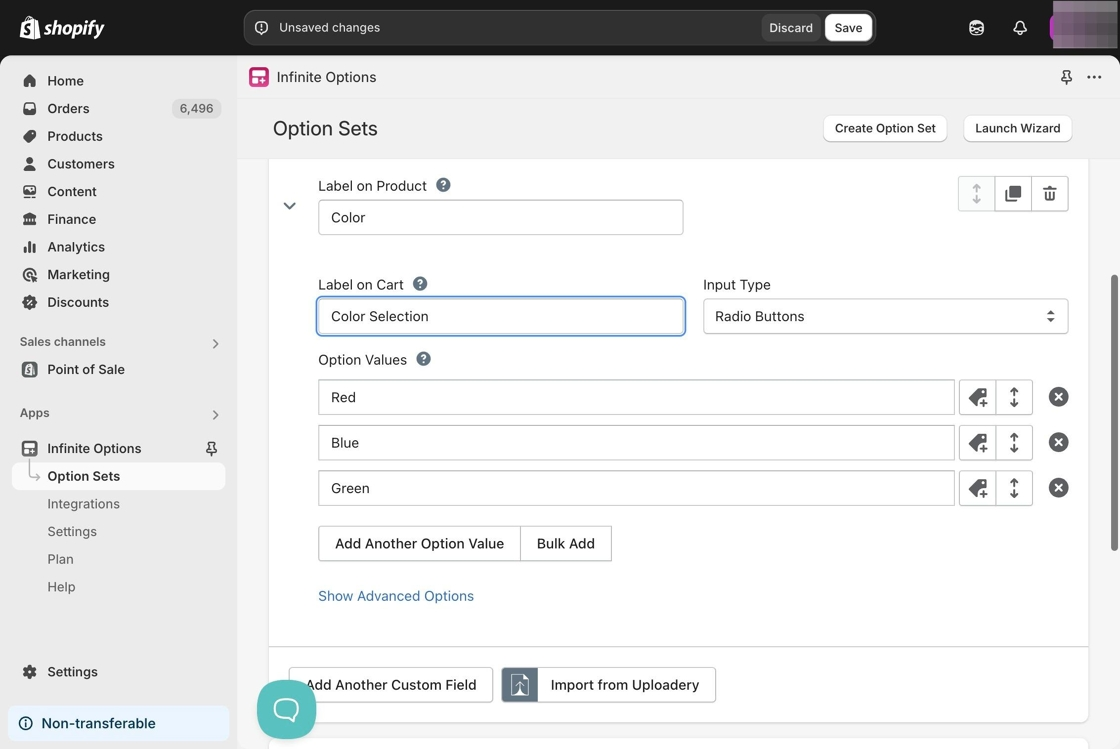
Lastly, click **Save Values.** Your option set should look like this afterward. <br>

<figure><img src="https://24152052-files.gitbook.io/~/files/v0/b/gitbook-x-prod.appspot.com/o/spaces%2FglwgaFVh2VmGBjtIbnDb%2Fuploads%2Fk0LTl8cjJpX97IFzdpgT%2Fimage.png?alt=media&#x26;token=01616eb4-8efb-4cfb-a0ed-efd4d7054e09" alt=""><figcaption></figcaption></figure>

{% embed url="<https://www.youtube.com/watch?v=4_BX6ooWLsA>" %}