> For the complete documentation index, see [llms.txt](https://shoppad.gitbook.io/infinite-options/llms.txt). Markdown versions of documentation pages are available by appending `.md` to page URLs; this page is available as [Markdown](https://shoppad.gitbook.io/infinite-options/troubleshooting/cancel-your-subscription.md).
# Cancel your Subscription
Follow the instructions below to uninstall any of our apps on your store. This will also cancel any subscription fees associated with it, so you won't receive any new subscription charges.
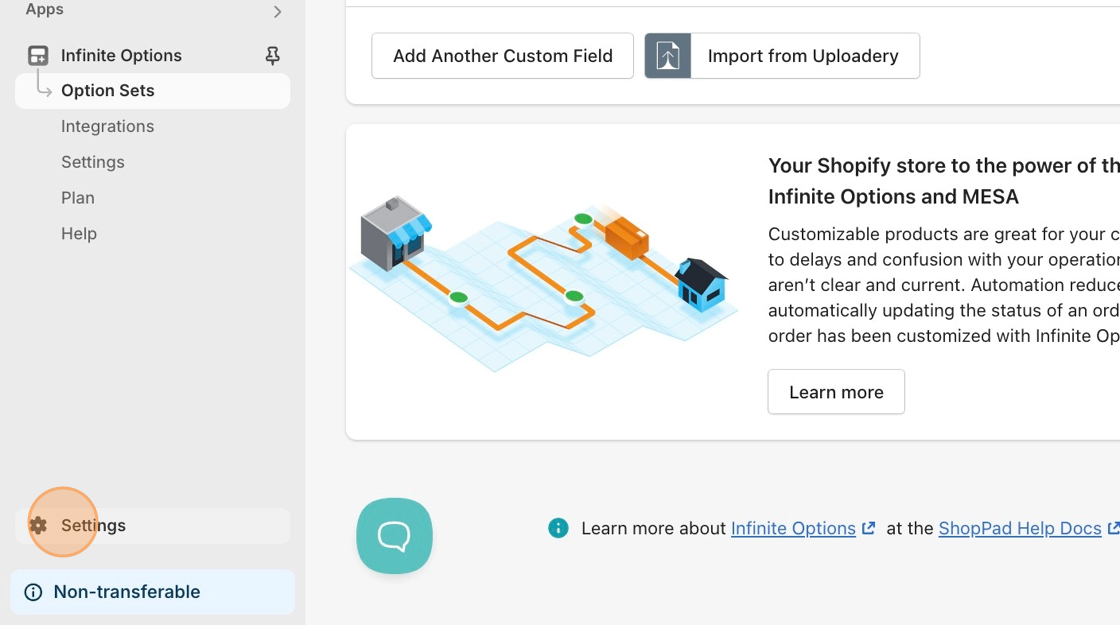
1\. Starting from your Shopify admin dashboard, click on **Settings.**
2\. Locate the **Settings > Apps** settings on the menu on the left-hand side of the page.
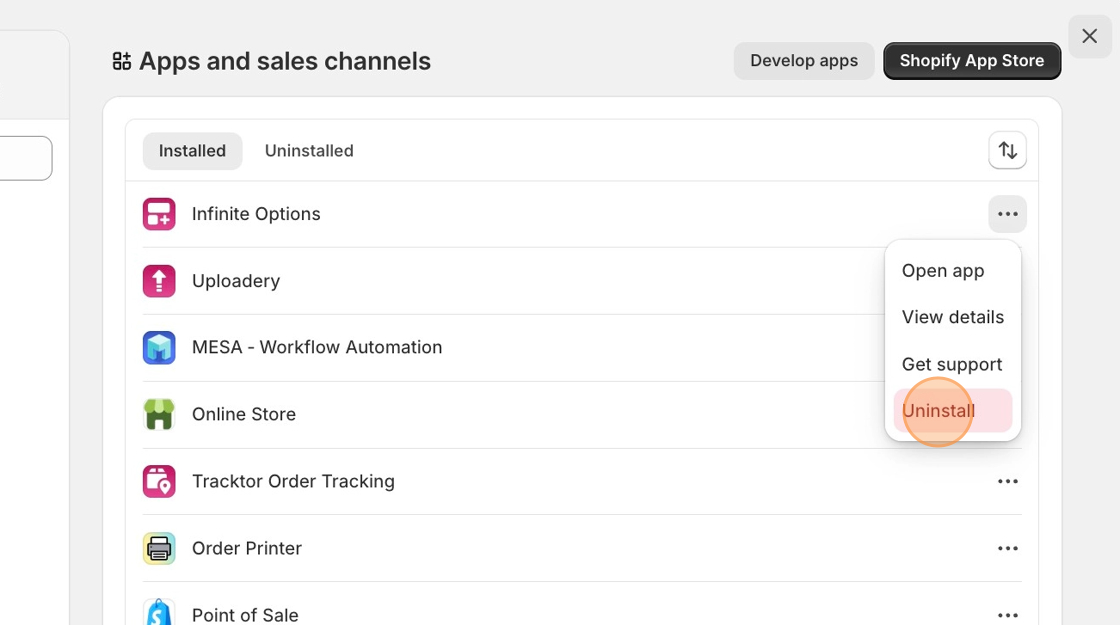
3\. Locate the app you'd like to uninstall, then click the three-dot icon and select **Uninstall.**
Feel free to give feedback as to why you're uninstalling the app!
{% hint style="info" %}
Have a question about any [of our apps](https://apps.shopify.com/partners/shoppad) or need support? Reach out to our team at
{% endhint %}