# Approving ShopPad Collaborator Request

Collaborator permissions provide our team access to approved sections of your store. Please note that these accounts **don't count towards your store's** [**staff limit**](https://https/help.shopify.com/en/manual/your-account/staff-accounts)**.** Only the store owner or staff with "manage collaborator" requests permission can view collaborator access requests or grant collaborator access to a store. The request can be found as an email or a notification on your Shopify Home. Here is how to approve a collaborator request from our team:

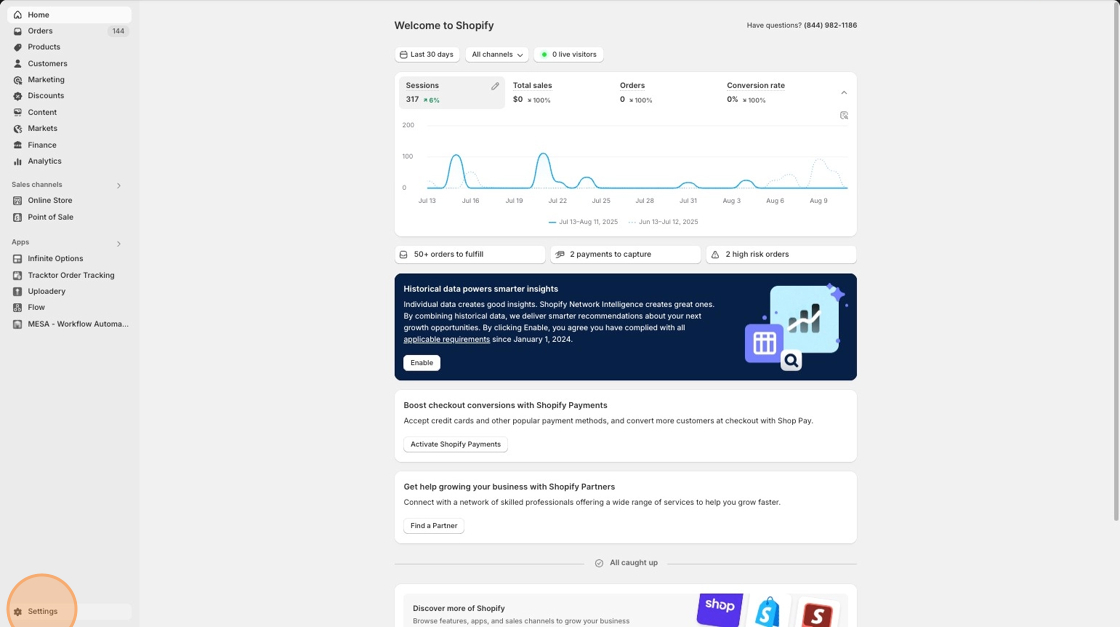
1\. Select **Settings** from your main Shopify home page.

<figure><img src="https://1830227525-files.gitbook.io/~/files/v0/b/gitbook-x-prod.appspot.com/o/spaces%2FttS2ys9nVT4SeVSaGa3f%2Fuploads%2Fgit-blob-e452662c6cc356e2c55ff9765f9b0d41b338259d%2Fclick-settings.png?alt=media" alt=""><figcaption></figcaption></figure>

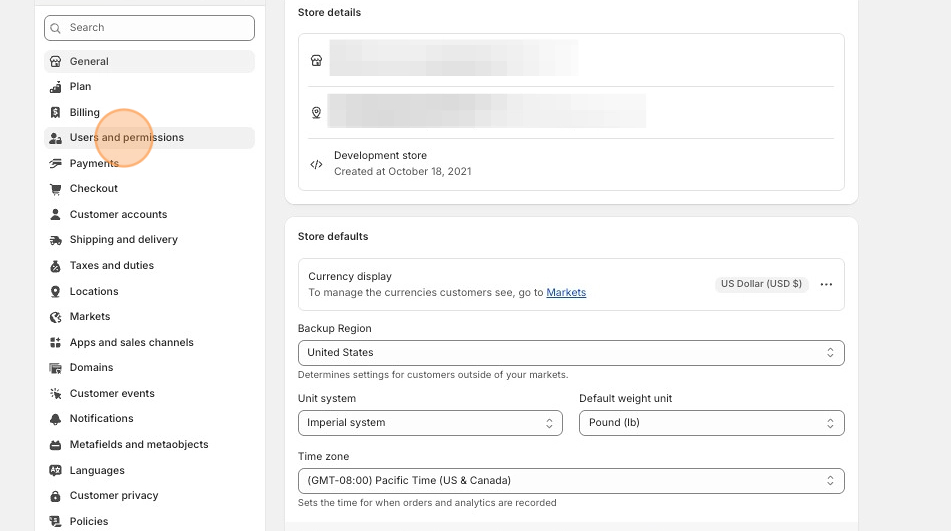
2\. Scroll down to the **Users and permissions** tab.

<figure><img src="https://1830227525-files.gitbook.io/~/files/v0/b/gitbook-x-prod.appspot.com/o/spaces%2FttS2ys9nVT4SeVSaGa3f%2Fuploads%2Fgit-blob-69925b808929708a535dd75d204c77f9c18e8c1f%2Fusers-and-permissions.png?alt=media" alt=""><figcaption></figcaption></figure>

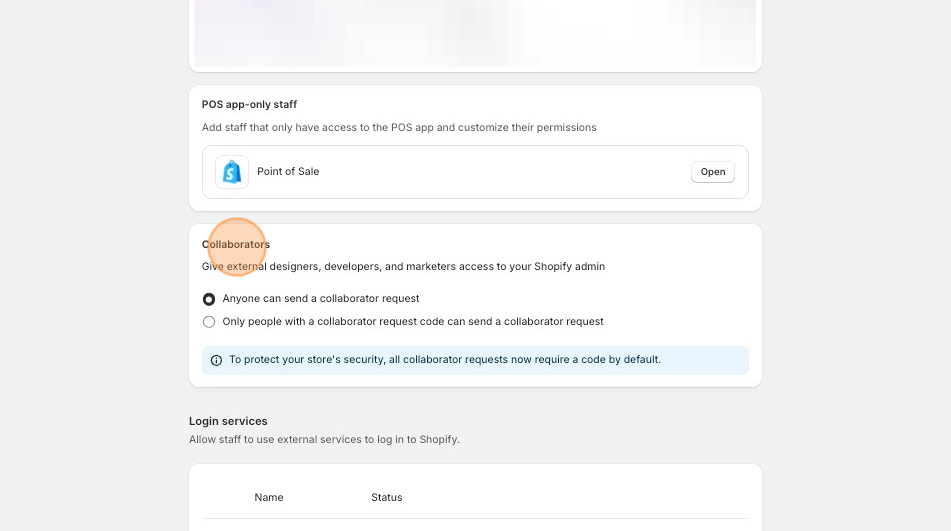
3\. Then, scroll down further to the **Collaborators** section to review and approve the request.
<figure><img src="https://1830227525-files.gitbook.io/~/files/v0/b/gitbook-x-prod.appspot.com/o/spaces%2FttS2ys9nVT4SeVSaGa3f%2Fuploads%2Fgit-blob-3c20f7ae7dbd536ddb6d1762bf1c0e3cb0f5eb52%2Fcollaborators-section.png?alt=media" alt=""><figcaption></figcaption></figure>