# Horizon Theme
Before Infinite Options starts working on your store, you will need to install the app onto your current theme.
Follow the step-by-step instructions below on how to install Infinite Options for your Horizon theme.
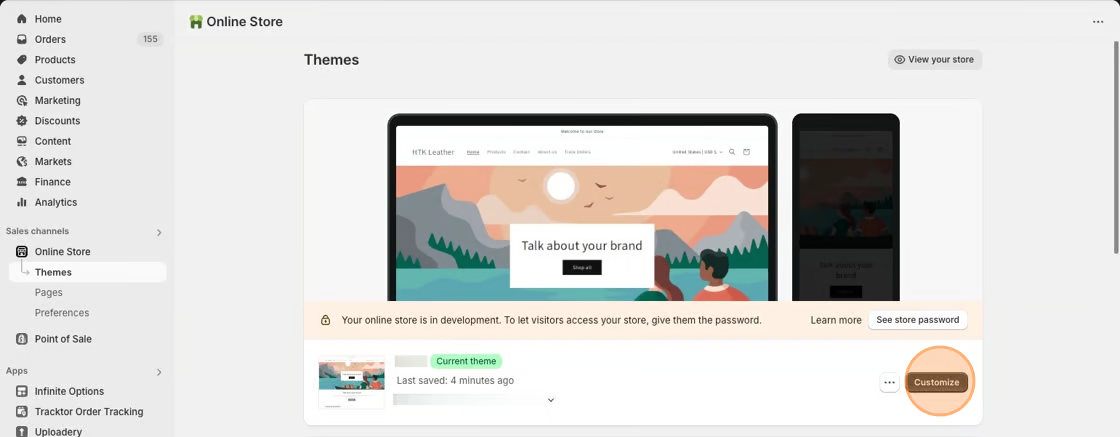
1\. Starting from your Shopify dashboard, click on Online Store, and then click on Themes.
2\. Click the **Customize** button on the **Horizon** theme.
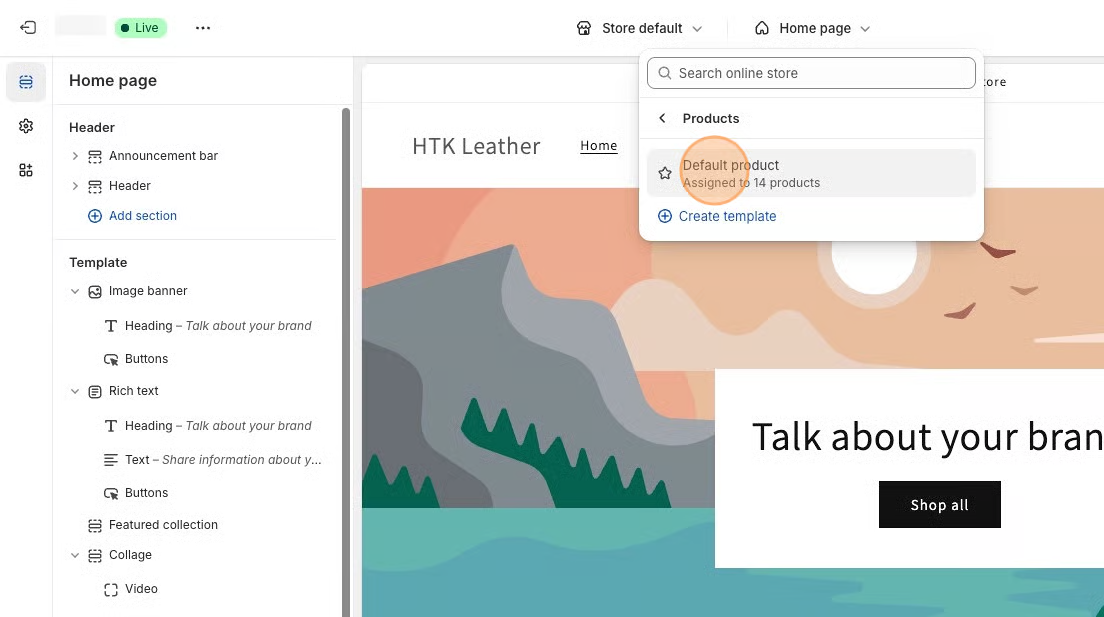
3\. Select **Products** from the dropdown menu in the header and then select a product template. **Default product** is the standard template for Horizon theme.
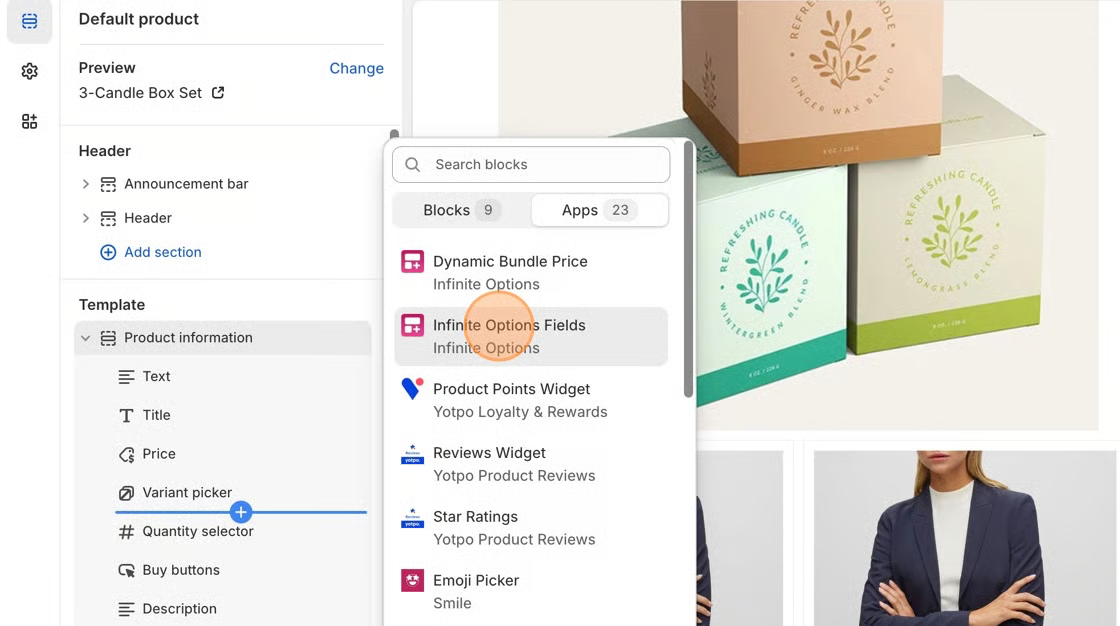
4\. In the **Product Information** section of the left-hand toolbar, click + **Add block** and select the **Infinite Options Fields** block.
5\. Move the Infinite Options Fields block above the **Quantity selector** block, or the **Add to Cart** button block.
6\. **Save** your changes. You can now start creating options for your products. Follow the instructions in [this article](https://shoppad.gitbook.io/infinite-options/welcome/create-custom-options) to get started.