# Savor Theme
Before Infinite Options starts working on your store, you will need to install the app onto your current theme.
Follow the step-by-step instructions below on how to install Infinite Options for your Savor theme.
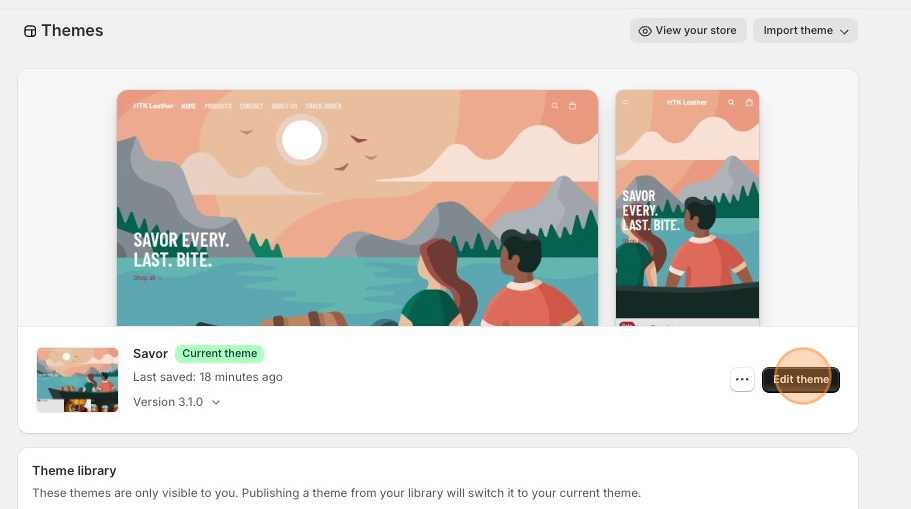
1\. Starting from your Shopify dashboard, click on **Online Store**, and then click on Themes.
2\. Click the **Edit theme** button on the **Savor** theme.
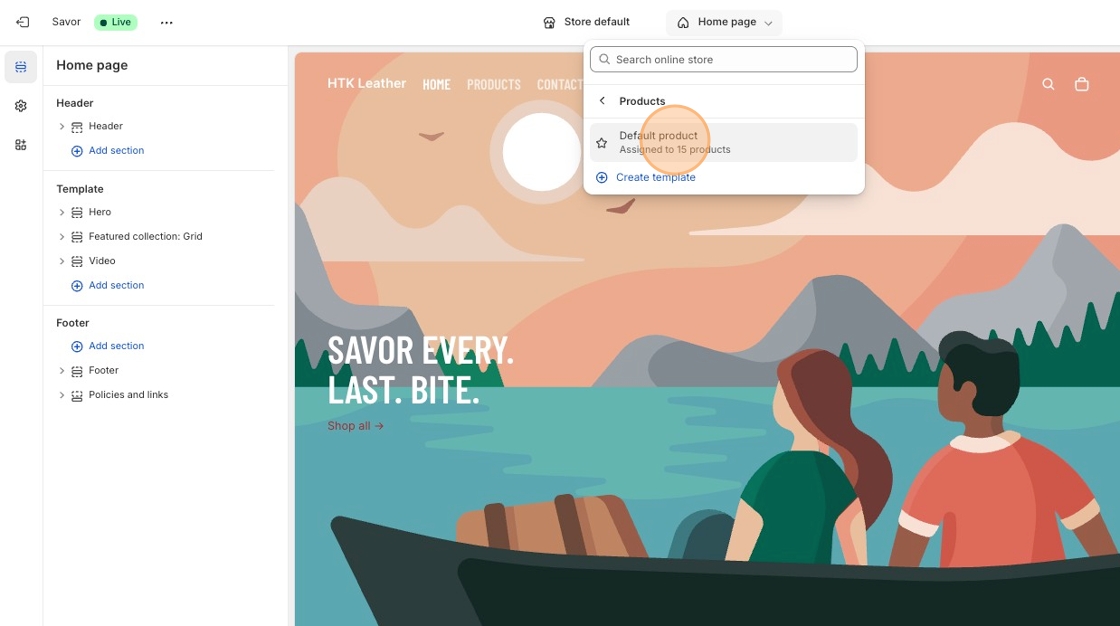
3\. Select **Products** from the dropdown menu in the header and then select a product template. **Default product** is the standard template for Savor theme.
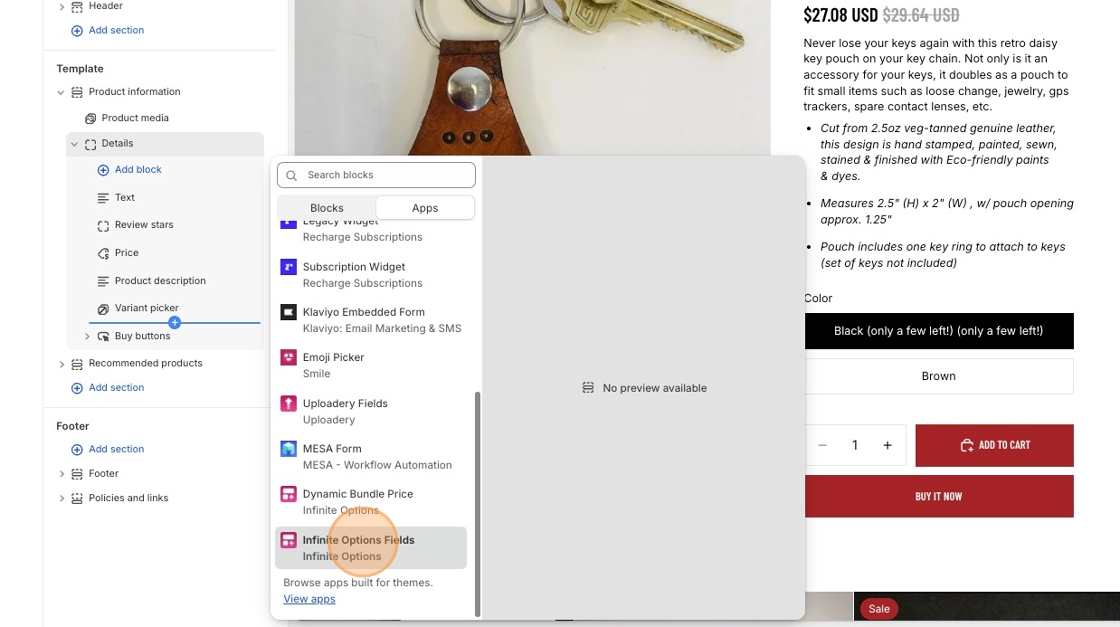
4\. In the **Product Information** section of the left-hand toolbar, open Details, then hover below **Variant picker.**
5\. Click the + symbol, then select the **Infinite Options Fields** block in Apps.
6\. **Save** your changes.
7\. You can now start creating options for your products. Follow the instructions in [this article](https://shoppad.gitbook.io/infinite-options/welcome/create-custom-options) to get started.
***
**Creating an option that needs an additional cost for customization?**
Our Product Bundles feature allows you to attach an add-on product to the option selection so you can add an extra cost to your main product. Create new products like a $5.00 gift wrapping and bundle it to your option. When selected, both products will be added to cart.
[Click here to learn more about the native bundling feature.](https://shoppad.gitbook.io/infinite-options/increase-the-cost-of-an-option/native-bundling)
**Looking to add more features? Click on the name of the feature to learn more.**
[Date picker](https://shoppad.gitbook.io/infinite-options/inputs-and-field-settings/add-a-date-picker-to-your-store): A calendar option that lets your customers easily select a date.
[Swatches](https://shoppad.gitbook.io/infinite-options/welcome/install-infinite-options-on-a-specific-theme/broken-reference): Attach images or colors to options.
[Conditional Logic](https://shoppad.gitbook.io/infinite-options/conditional-logic): Display or hide options based on their previous option selections.
[Use Conditional Logic with Swatches](https://shoppad.gitbook.io/infinite-options/conditional-logic/swatches): Display swatches based on a previous option selection and vice versa.
[Creating a Variety Pack:](https://shoppad.gitbook.io/infinite-options/popular-setups/mix-and-match-variety-pack-or-gift-pack-example) Set up multiple drop-down menus so your customers can select different scents or flavors for a variety pack product.