> For the complete documentation index, see [llms.txt](https://shoppad.gitbook.io/kitkarts/llms.txt). Markdown versions of documentation pages are available by appending `.md` to page URLs; this page is available as [Markdown](https://shoppad.gitbook.io/kitkarts/readme.md).
# Add a promo code to the recovery email template
Promo codes are a great way to encourage customers to secure a purchase when they receive the Kit Karts recovery email. Here's how to implement the code within your recovery email template.
{% hint style="info" %}
If you have used Kit Karts for a long time, you will need to revert the template in order to add the discount message. [Click here to learn more about reverting the template!](/kitkarts/revert-recovery-email-to-shopify-default.md)
{% endhint %}
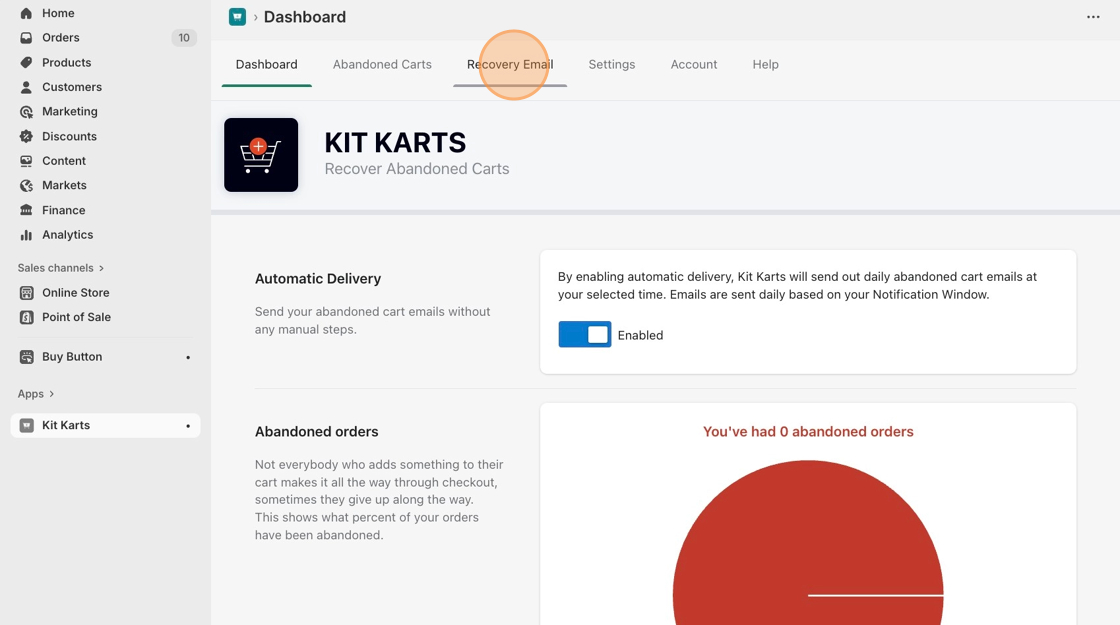
1. Navigate to the Kit Karts dashboard from the Shopify **Apps** page.
2. Click on the **Recovery Email** tab.
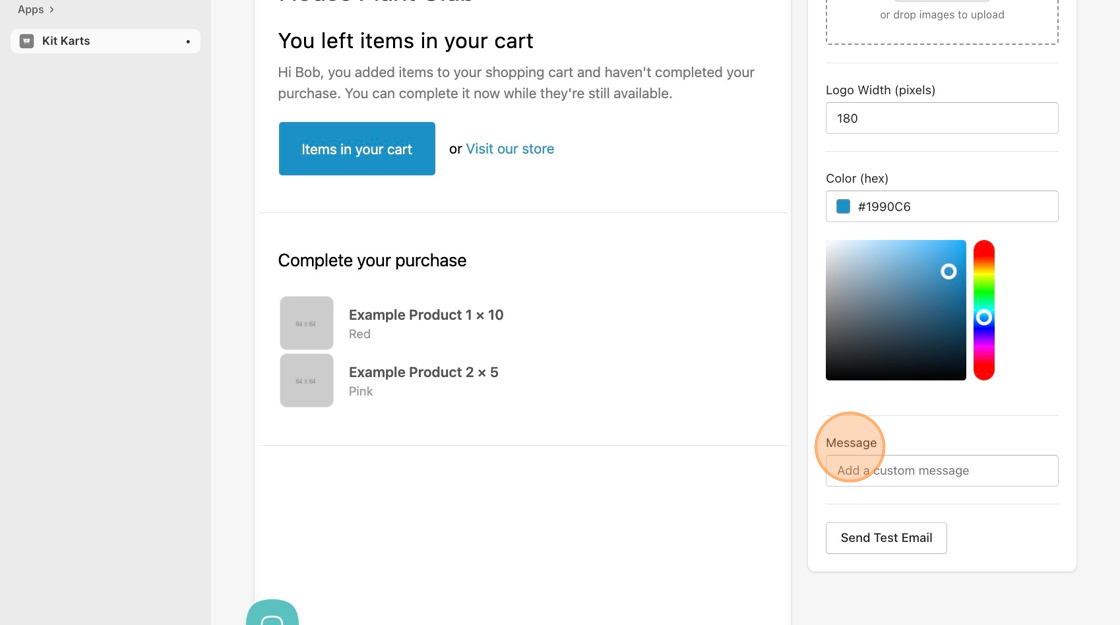
3. Add your custom message, including the promo code, to the **Message** box.
4. Click on the green **Save Changes** button at the top-right corner of the page.