> For the complete documentation index, see [llms.txt](https://shoppad.gitbook.io/kitkarts/llms.txt). Markdown versions of documentation pages are available by appending `.md` to page URLs; this page is available as [Markdown](https://shoppad.gitbook.io/kitkarts/revert-recovery-email-to-shopify-default.md).
# Revert Recovery Email to Shopify Default
Kit Karts now allows you to have a Shopify default-styled recovery email.
{% hint style="info" %}
**Note:** If you decide to revert the recovery email template to Shopify's, this action will remove all customization/custom text that you may have added to the template before this action.
{% endhint %}
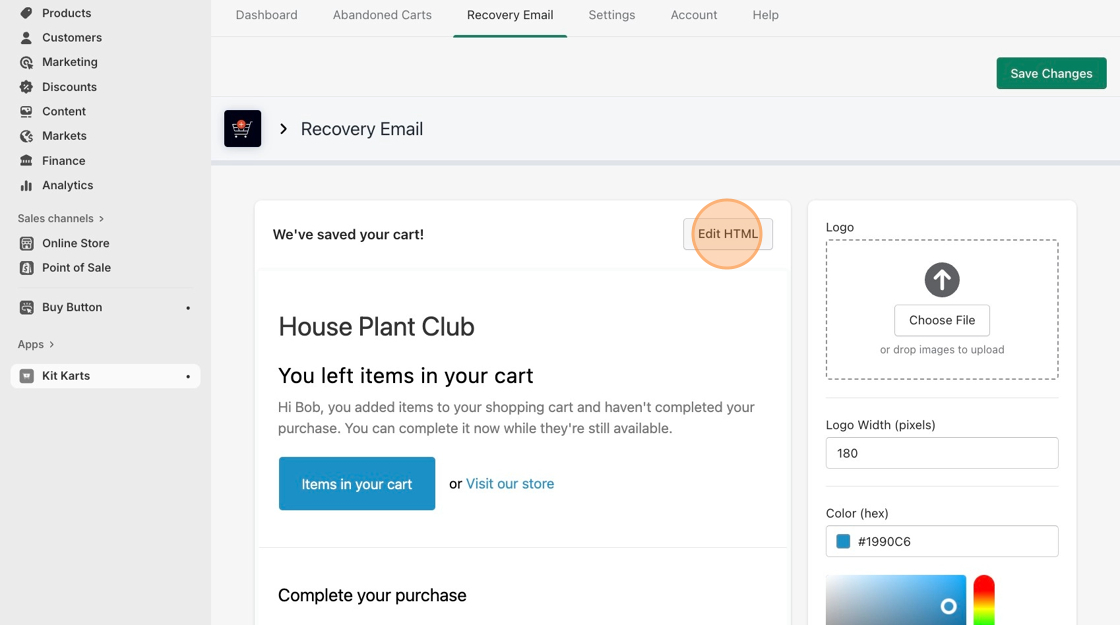
1. Navigate to the **Recovery Email** tab.
2. Click on **Edit HTML.**
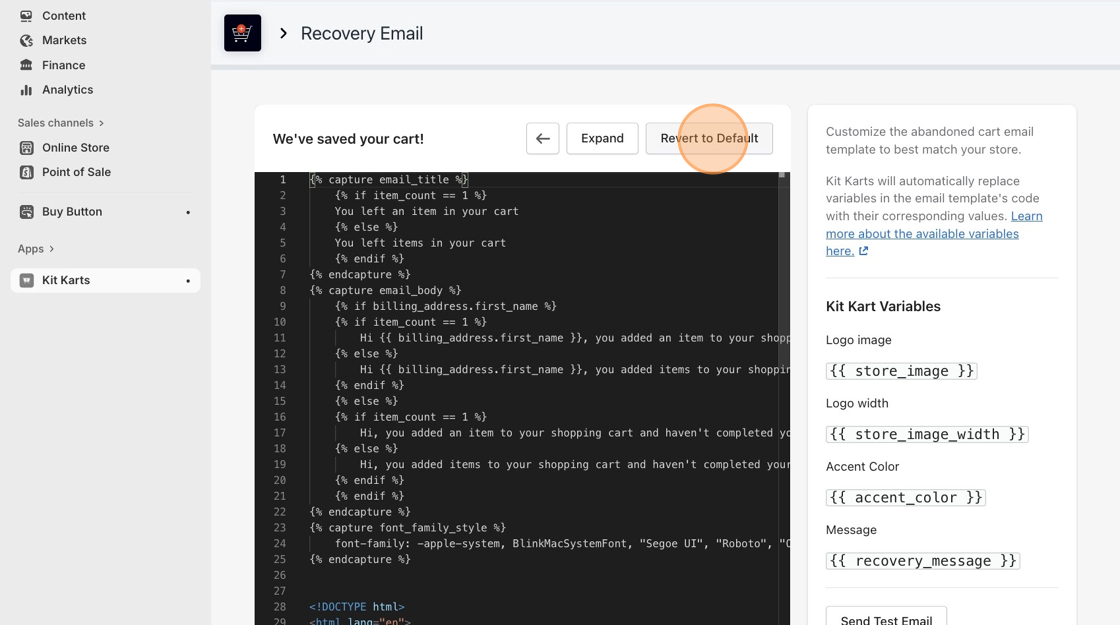
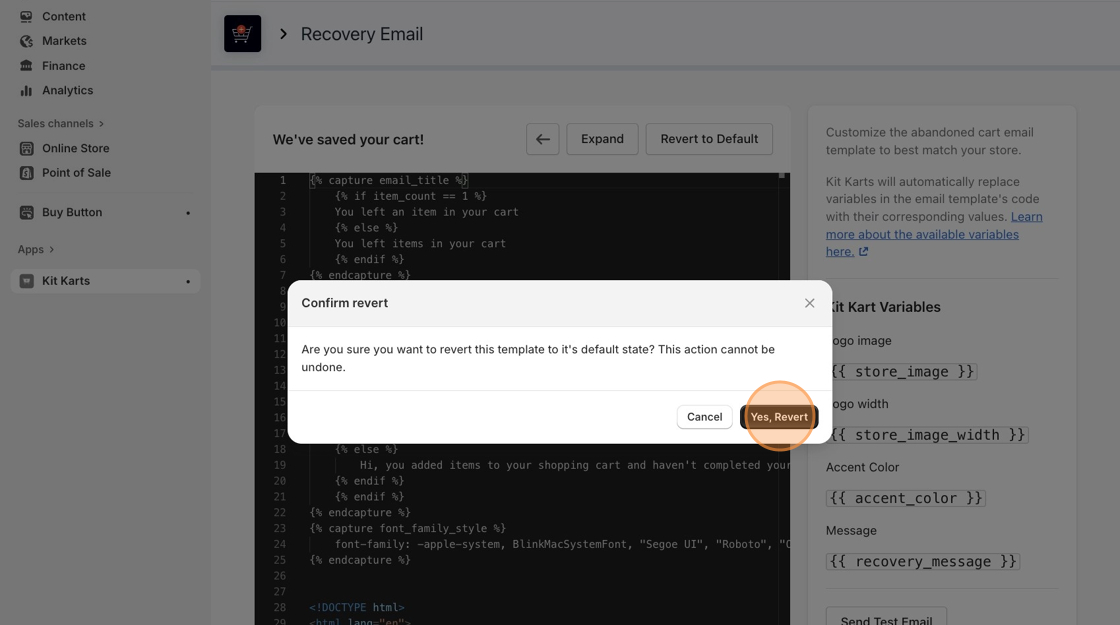
3. Click **Revert to Default,** then **Yes, Revert** after reading the important message.
4. Click on the green **Save Changes** button at the top-right corner of the page.
{% hint style="info" %}
Changing the custom message or color of the Recovery Email requires you to revert your Recovery Email to the default Shopify version.
{% endhint %}
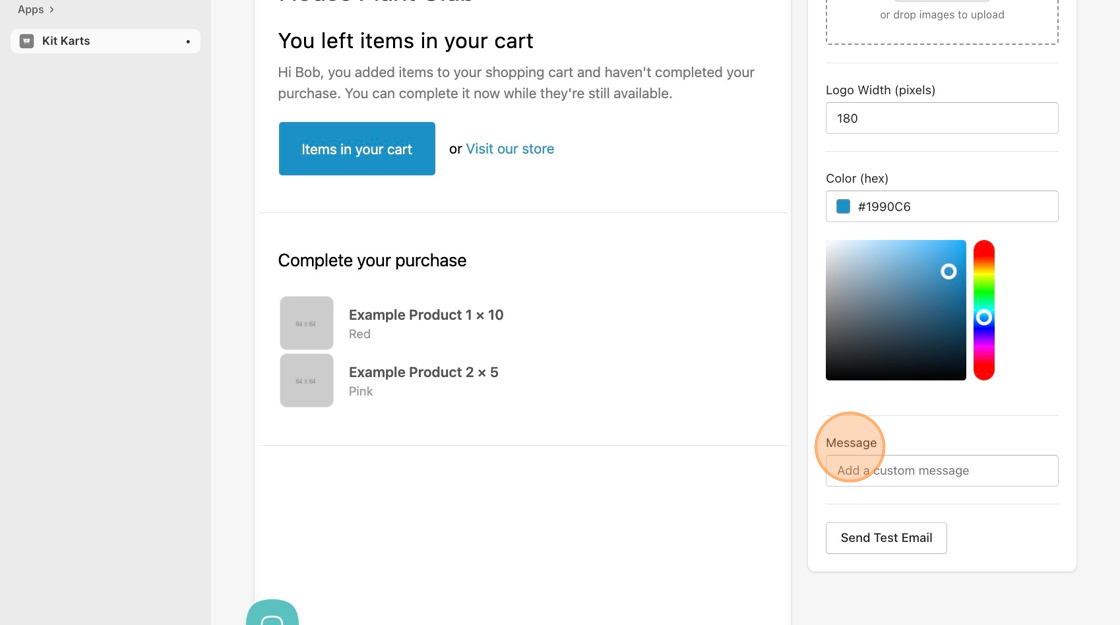
5. To re-add lost promo codes, simply type the message into the **Message** section on the bottom right of the screen.