> For the complete documentation index, see [llms.txt](https://shoppad.gitbook.io/pagestudio/llms.txt). Markdown versions of documentation pages are available by appending `.md` to page URLs; this page is available as [Markdown](https://shoppad.gitbook.io/pagestudio/readme/displaying-the-page-studio-styling.md).
# Displaying the Page Studio Styling
By default, the page.studio template is inserted into your current theme. This page template overrides most of your theme's styles, so the page you see within the editor closely resembles the end result.
Follow the steps below if you'd like to use this template with other themes.
1. Starting from your Shopify admin dashboard, click on **Online Store**, then click on **Themes.**
2. Find the theme you want to edit, click the **...** button, then select **Edit code.**
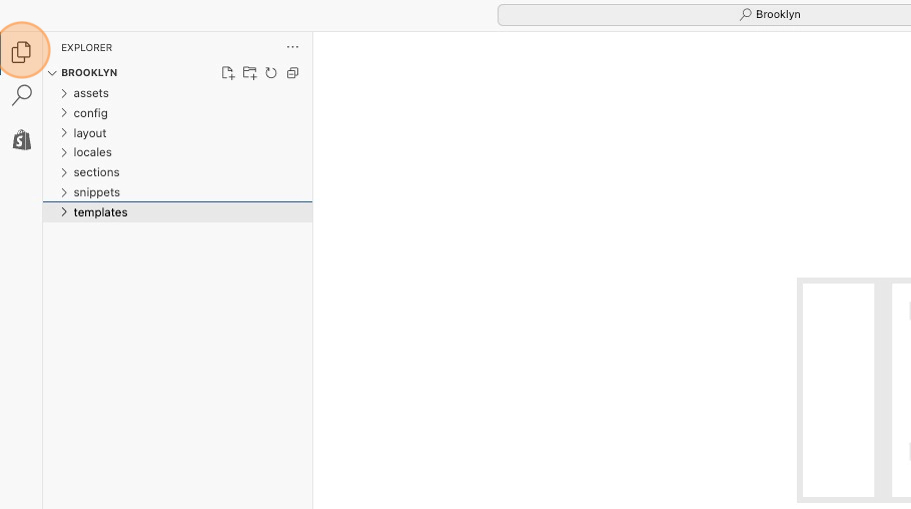
3. On the left side, click on the **Files** icon to open the File Explorer.
4. Right-click on **templates** and select **New File**.
5. Name the new file **page.studio.liquid** and press enter.
6. Copy the code snippet below and paste it into the new file.
```html
{{ page.content }}
```
6\. **Save** your changes at the top right.
Now you'll be able to select the **page.studio** template from the Page Studio dashboard, and use it to construct beautiful pages!