> For the complete documentation index, see [llms.txt](https://shoppad.gitbook.io/smile/llms.txt). Markdown versions of documentation pages are available by appending `.md` to page URLs; this page is available as [Markdown](https://shoppad.gitbook.io/smile/installation-steps.md).
# Installation Steps
Before Smile can start working on your store, you will need to install the app onto your current theme.
This article goes over how to install the app on product pages, collection pages, blog posts, and article pages.
* [Install Smile on product pages](#smile-products)
* [Install Smile on blog posts](#smile-posts)
* [Install Smile on collection pages](#smile-collections)
* [Install Smile on article pages](#smile-articles)
Installing on **product pages** is required, but other pages are optional.
### Install Smile on product pages
We will start by installing the app on product pages.
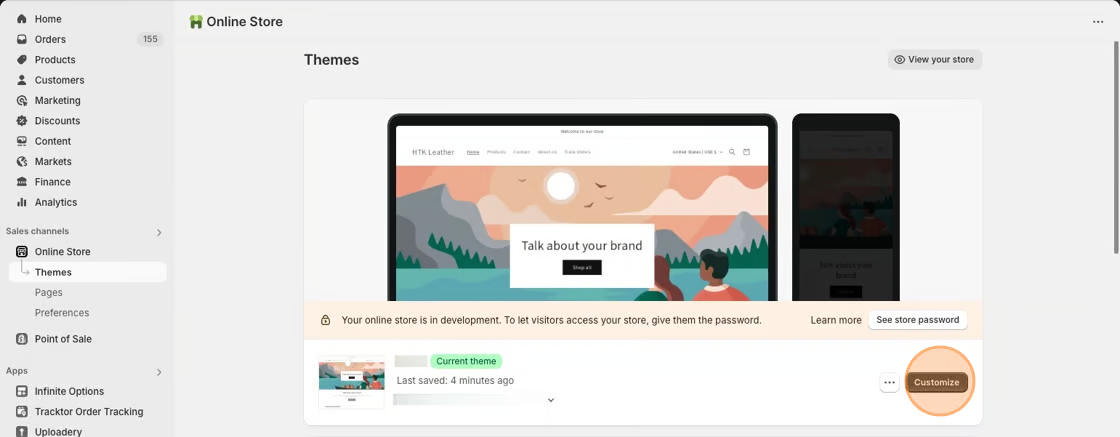
1\. Starting from your Shopify dashboard, click on **Online Store**, and then click on **Themes**.
2\. Click the **Customize** button on your published theme.
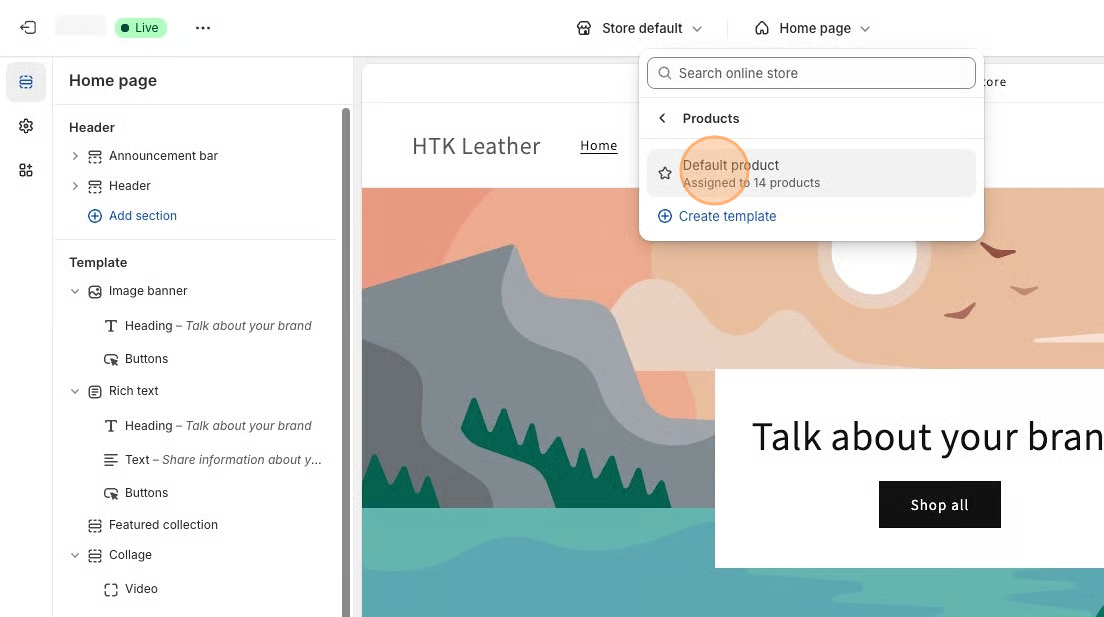
3\. Select **Products** from the dropdown menu in the header and then select a product template. **Default product** is the standard template for Shopify themes.
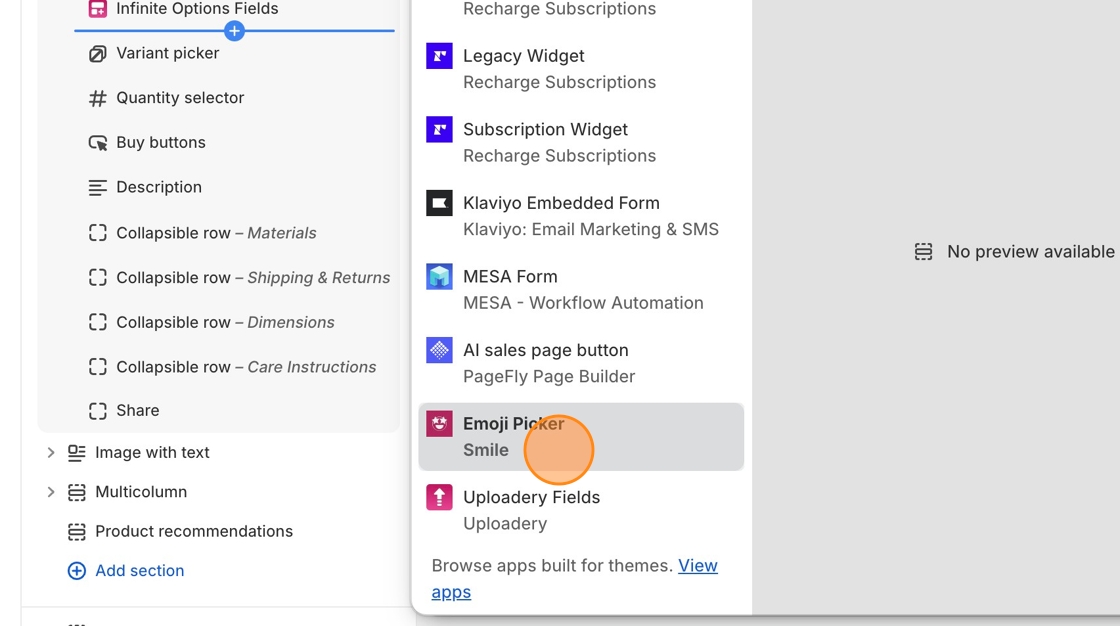
4\. In the **Product Information** section of the left-hand toolbar, click + **Add block** and do a search for the **Smile Emoji Picker** block.
5\. Move the **Smile Emoji Picker** block anywhere within the **Product Information** section where you would like it to display. We recommend adding it below buy buttons.
8\. Save your changes.
Your customers will now be able to use emojis to react to your store's products on product pages!
### Install Smile on blog posts
Now we will install the app on blog posts.
1\. Select **Blog Posts** from the dropdown menu in the header and then select a blog post template. Default blog post is the standard template for Shopify themes.
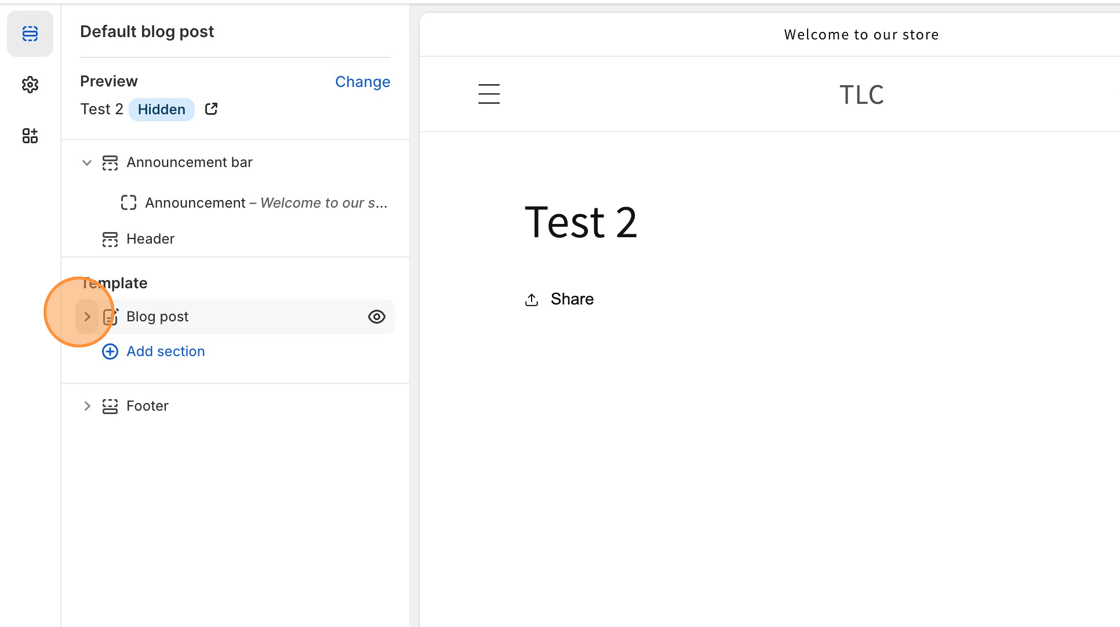
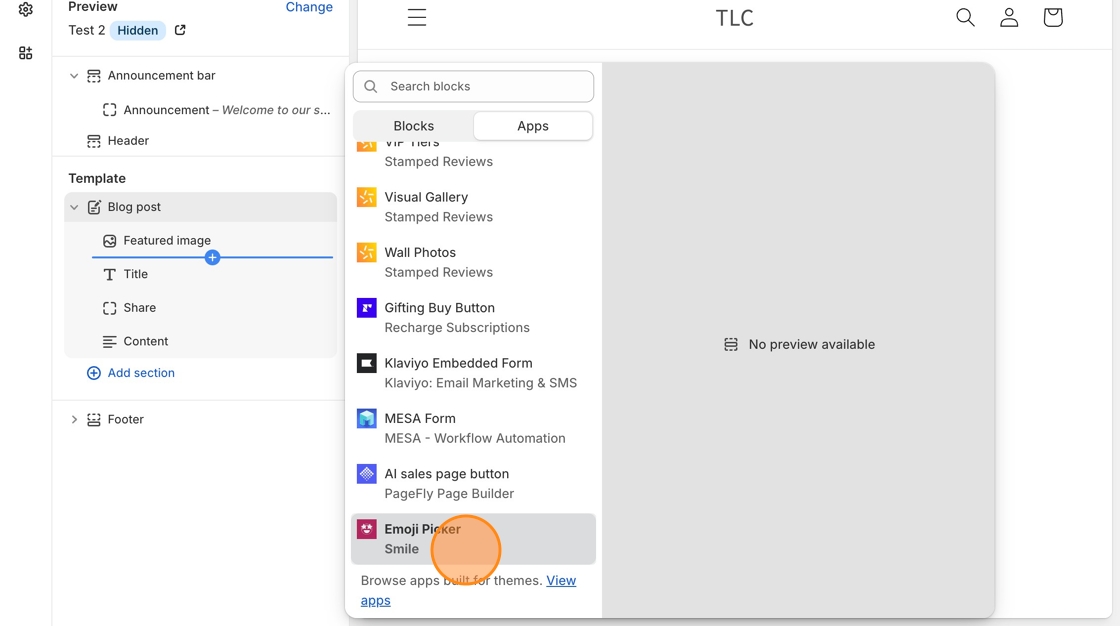
2\. In the **Blog post** section of the left-hand toolbar, click + **Add block** and do a search for the Smile Emoji Picker block.
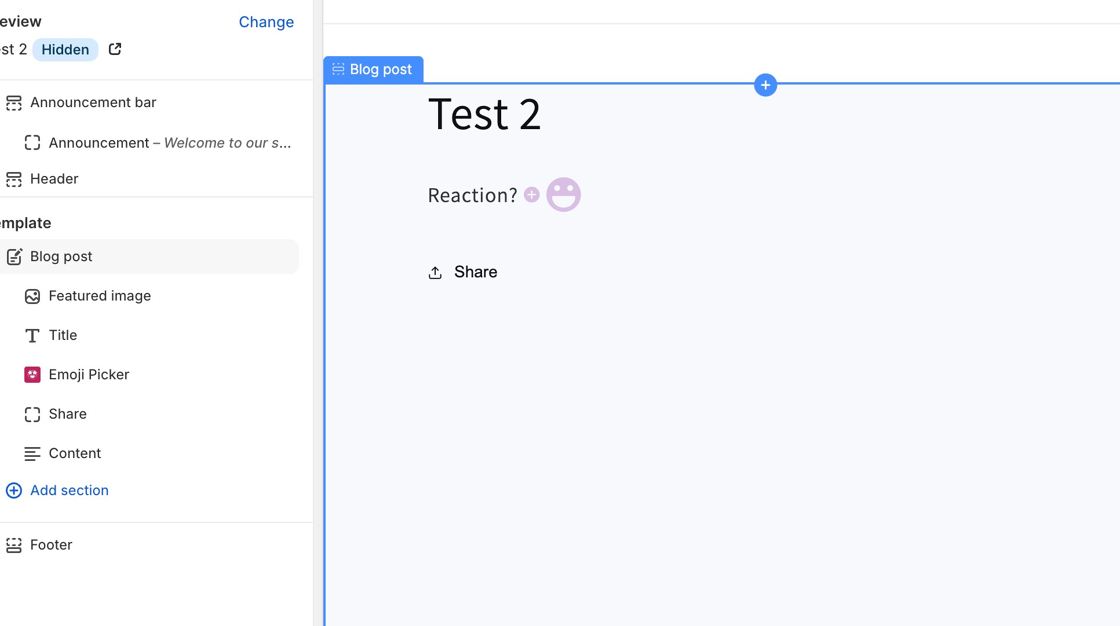
3\. Move the **Smile Emoji Picker** block anywhere within the **Blog post** section where you would like it to display. We recommend adding it below the content.
4\. Save your changes.
Your customers will now be able to use emojis to react to your store's blog posts!
### Install Smile on collection pages
Next up, we will install Smile on collection pages.
1\. Starting from your Shopify dashboard, click on **Online Store**, and then click on **Themes**.
2\. Click the **Actions** ▼ button, then select **Edit code**.

3\. Navigate to your **collection.liquid** file.
If this file is guiding you to your collection-template.liquid file, you can find that located under the Sections folder.
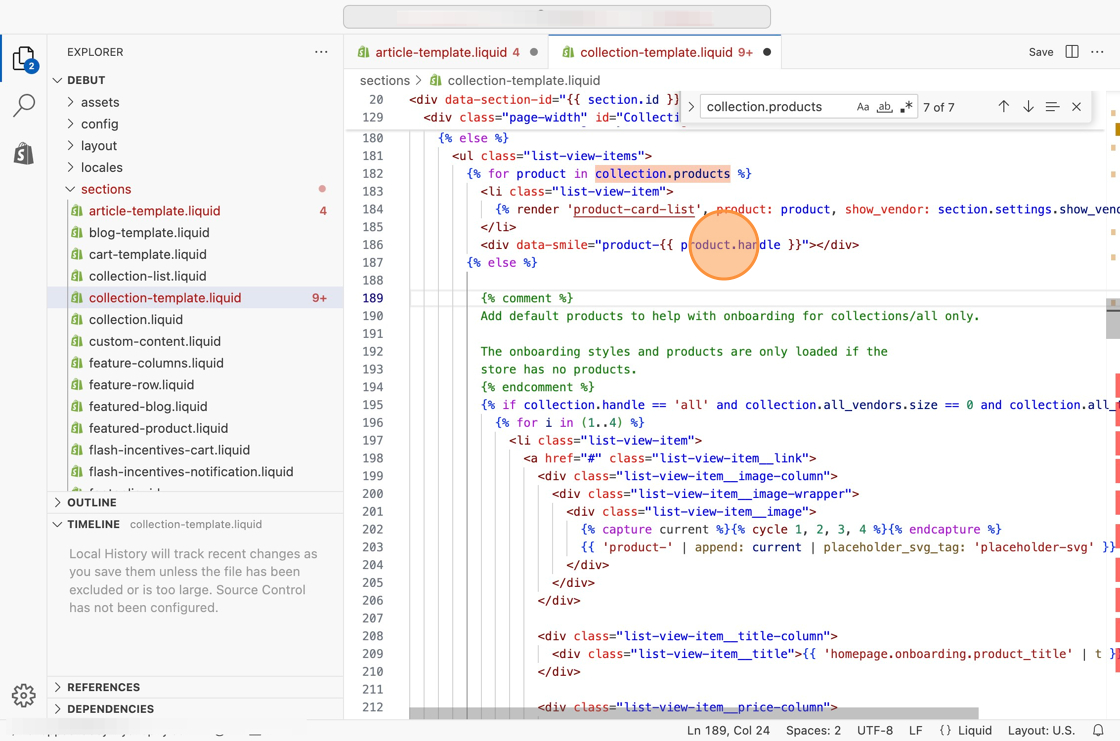
4\. Do a search (ctrl F or ⌘ F) for the following text.
```
{% for product in collection.products
```
Once you've found this line of code, you'll notice there's a line of code further down the file that contains **{% endfor %}** (It should have the same indentation).
5\. Copy the code snippet below.
```
```
6\. Paste the code snippet anywhere between the two pieces of code specified above.
7\. Save your changes.
It's best to play around with the location of the code snippet so it is in the best place possible.
Your customers will now be able to use emojis to react to your store's products on collection pages!
### Install Smile on article pages
Next up, we'll install Smile on article pages.
1\. Navigate to your **article.liquid** file.
2\. Do a search (ctrl F or ⌘ F) for the following word within this file.
```
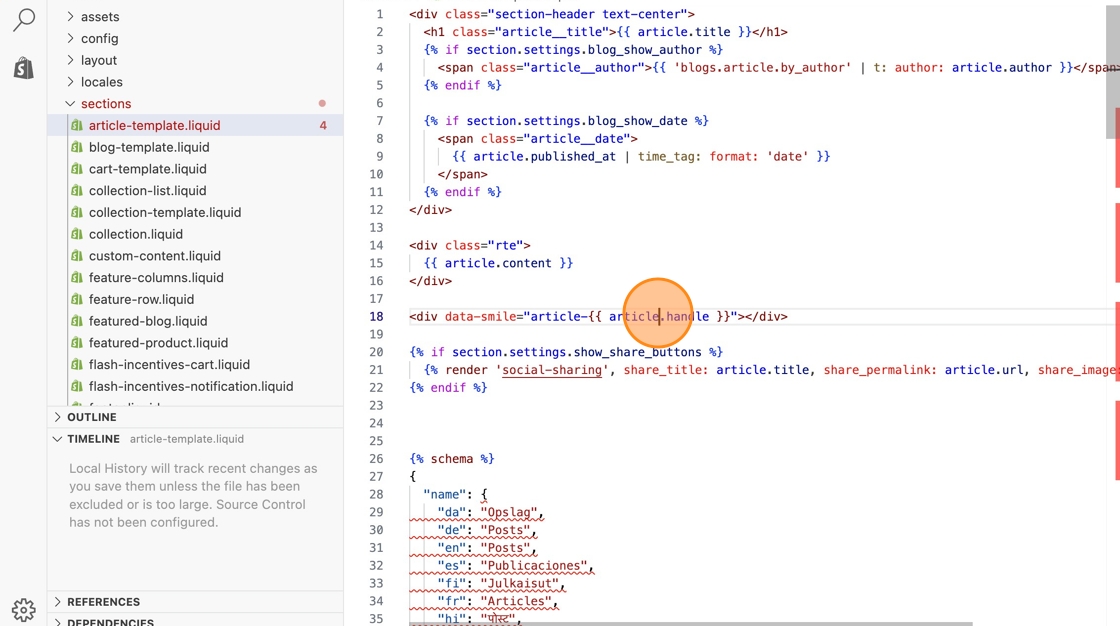
{{ article.content }}
```
3\. Copy the code snippet below.
```
```
4\. Paste the code snippet below that section of code, after any ending \ tags.
5\. Save your changes.
It's best to play around with the location of the code snippet so it is in the best place possible.
Your customers will now be able to use emojis to react to your store's articles on article pages!