> For the complete documentation index, see [llms.txt](https://shoppad.gitbook.io/uploadery/llms.txt). Markdown versions of documentation pages are available by appending `.md` to page URLs; this page is available as [Markdown](https://shoppad.gitbook.io/uploadery/customize-the-app/display-a-short-link-on-the-cart.md).
# Display a short link on the cart
Displaying the file upload details in the cart page is a great way to assure your customers that they have uploaded the file correctly, and that you will receive it once they purchase the item. Follow the steps below to get started.
### Locate your theme's cart file
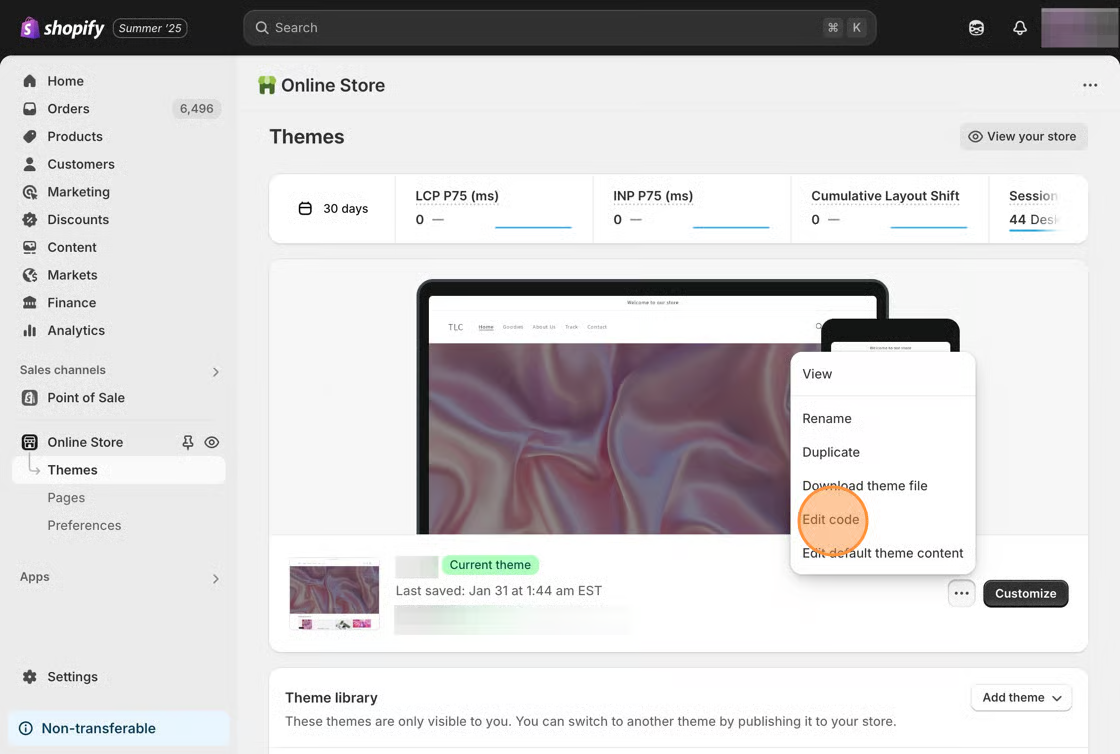
1\. Starting from your Shopify admin, click on **Online Store**, then click on **Themes.**
2\. Find the theme you want to edit, click the **Actions** ▼ button, then click **Edit code.**
3\. On the left side, under **Templates**, check to see if you have a **cart.liquid** file. If your theme's **cart.liquid** file doesn't contain much code, it may be pointing to a different file. In most cases, the code will be located in the **cart-template.liquid** file, within the **Sections** folder. Also, you can hover over the file's name and click on the right arrow ➡️ to view the different file.
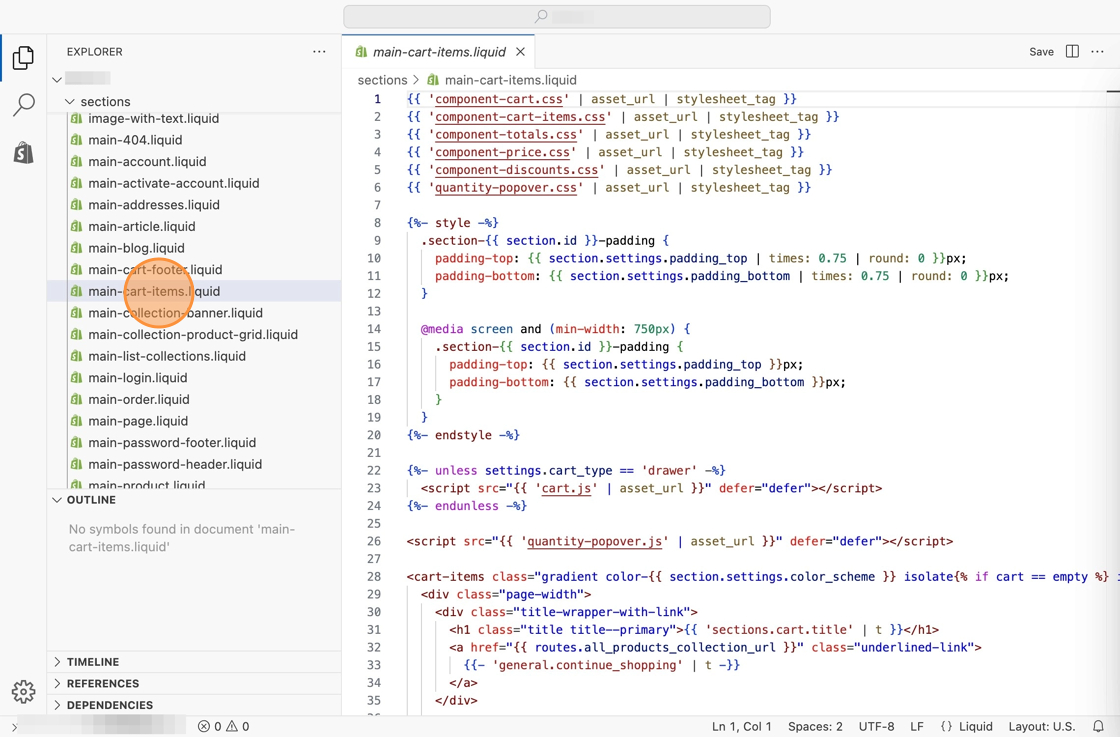
If your theme does not have a **cart.liquid** file and if you see a **cart.json** file, locate a file called **main-cart-items.liquid** file in the **Sections** folder.
### Edit your theme's cart file
1\. If you have found a **cart.liquid** file or **cart-template.liquid** file in your theme, perform a search using keyboard shortcuts (Ctrl F or ⌘ F) for:
```html
if p.last contains '/uploads/'
```
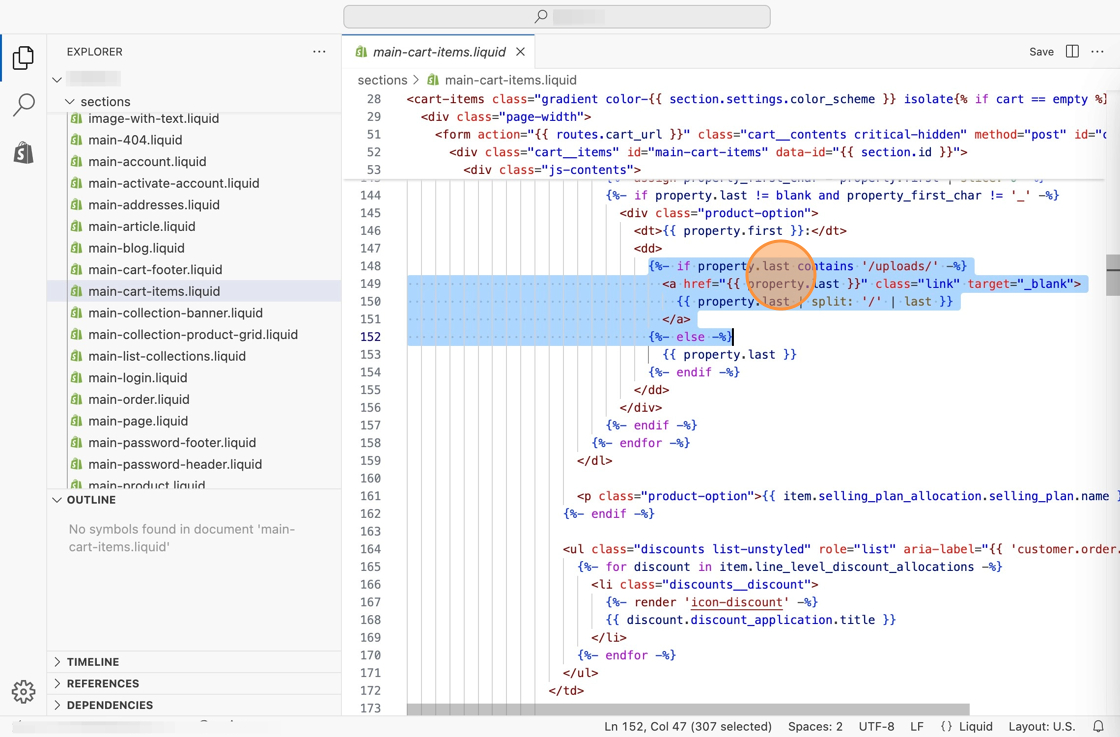
If you have found a **main-cart-items.liquid** file in your theme, perform a search using keyboard shortcuts (Ctrl F or ⌘ F) for:
```html
{%- if property.last contains '/uploads/' -%}
```
2\. For the **cart.liquid** or **cart-template.liquid** file, highlight over the full line you found and the next two lines. Then, delete those three lines.
For the **main-cart-items.liquid** file, highlight over the full line you found and the next five lines. Then, delete those five lines.
3\. For the **cart.liquid** or **cart-template.liquid** file, copy and paste the following code snippet right where you just removed those three lines of code.
```html
{% if p.last contains '//uploadery.s3' %}
Link to your file
{% else %}
```
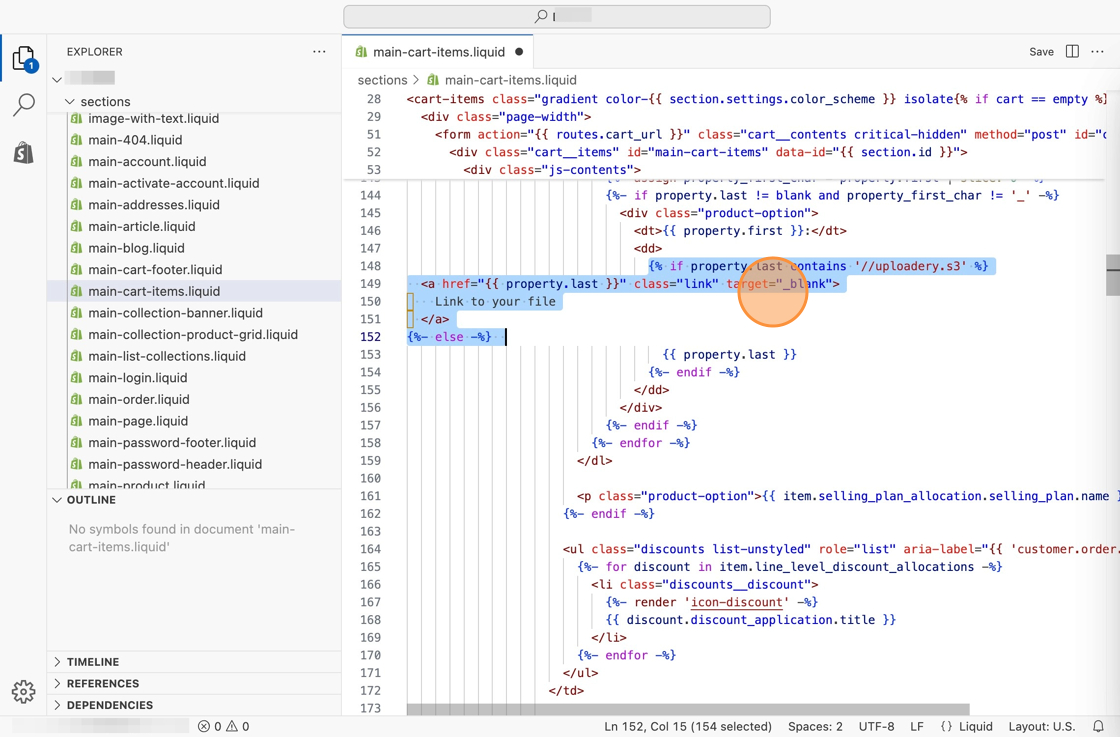
For the **main-cart-items.liquid** file, copy and paste the following code snippet right where you just removed those three lines of code, as seen below:
```html
{%- if property.last contains '//uploadery.s3' -%}
Link to your file
{%- else -%}
```
3\. **Save** your changes.