> For the complete documentation index, see [llms.txt](https://shoppad.gitbook.io/uploadery/llms.txt). Markdown versions of documentation pages are available by appending `.md` to page URLs; this page is available as [Markdown](https://shoppad.gitbook.io/uploadery/troubleshooting/decrease-uploaderys-load-time.md).
# Remove loading delays (Lazy Loading & Late-Loading Upload Fields)
By default, Shopify apps load after the page is generated. If you'd like to decrease the time it takes to load the app on your product pages, follow the instructions below.
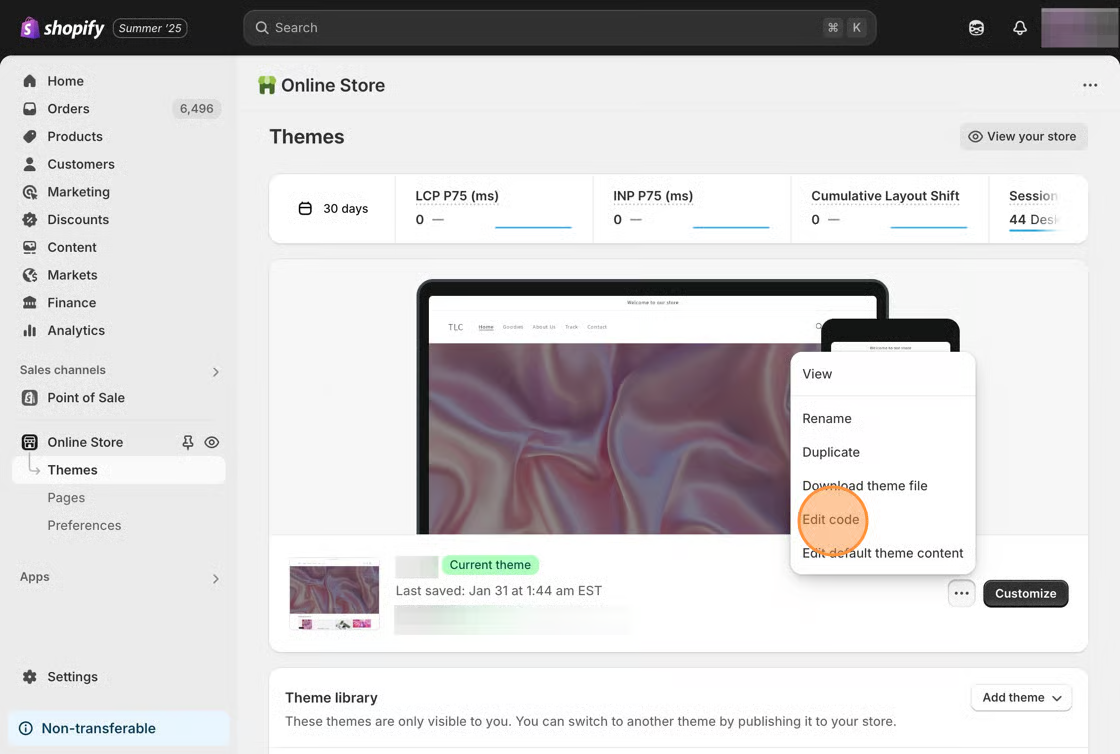
1\. From your Shopify admin, click **Online Store**, then click **Themes.**
2\. Find the theme you want to edit, click the **Actions** button, then click **Edit code.**
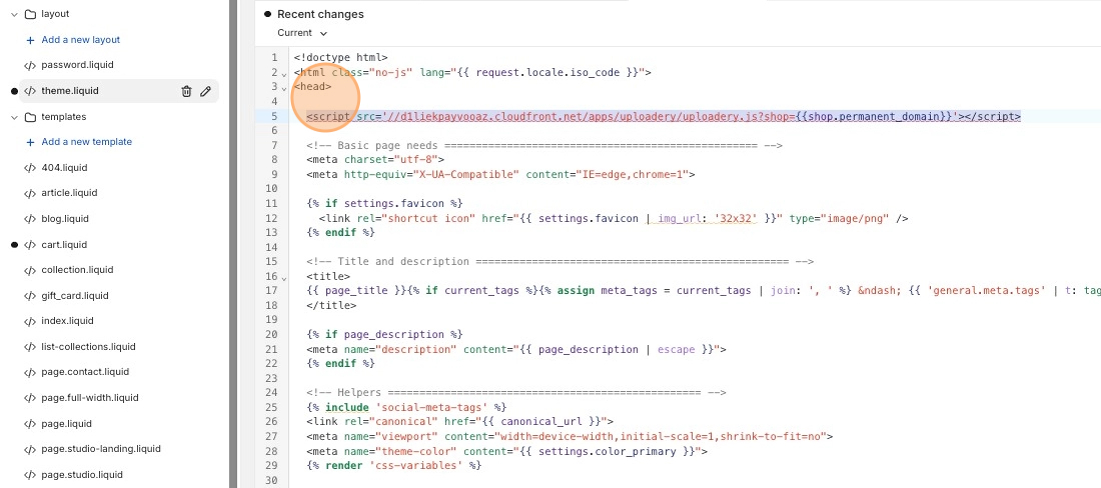
3\. Click on the *theme.liquid* file that's located in **Layouts** folder.
4\. Paste the following code snippet after the **\** tag.
```html
```
**Note:** Please note that if you see an error once you paste this snippet of code (*Avoid parser blocking scripts..*), you can ignore this.
5\. Save your changes.